
Overview
We wanted to share the below alert to the security community, small business, and consumers. Backgrounder received a phishing attempt on Meta’s platform using a legitimate developer platform. The link leads to a suspicious page hosted on Netlify, a legitimate developer platform that is frequently abused by attackers to host phishing sites. In this case, an attacker just makes a webpage with a basic 1990s HTML form and uploads it to Netlify, and all information from a victim is automatically collected. We show this below with technical input from Vincas Ciziunas of SAR Research on the likely backend phishing flow and credential-harvesting mechanics.
The notification pages often impersonate Facebook security alerts—such as account lock notices, security violations, or requests to confirm your identity—to trick users into entering their credentials. If you entered your passwords and 2FA codes, change your Meta passwords immediately, implement two factor authentication, and change your passwords on bank critical accounts that use the same passwords.
Main Takeaways
- Be careful of fake “security alerts,” “copyright violation,” or “account locked” messages in your Facebook or Instagram notifications.
- If you entered your password or codes, contact Backgrounder or a security professional immediately, but quickly change your passwords and ensure two factor authentication is enabled on critical accounts.
- Change passwords on critical accounts where you reused this password.
- Googling these types of notifications will likely not provide further information, you should leverage an AI scam bot protector like Backgrounder’s Ask Carmen.
Details
About two weeks after launching Ask Carmen, we received a scam attempt through Meta that appeared to be designed to harvest credentials and personal information, including email address, date of birth, and name. The below arrived through our Meta notifications and appeared suspicious at first glance. Although the message seemed poorly constructed, we decided to examine it more closely to better understand the tactic and underlying infrastructure being used.
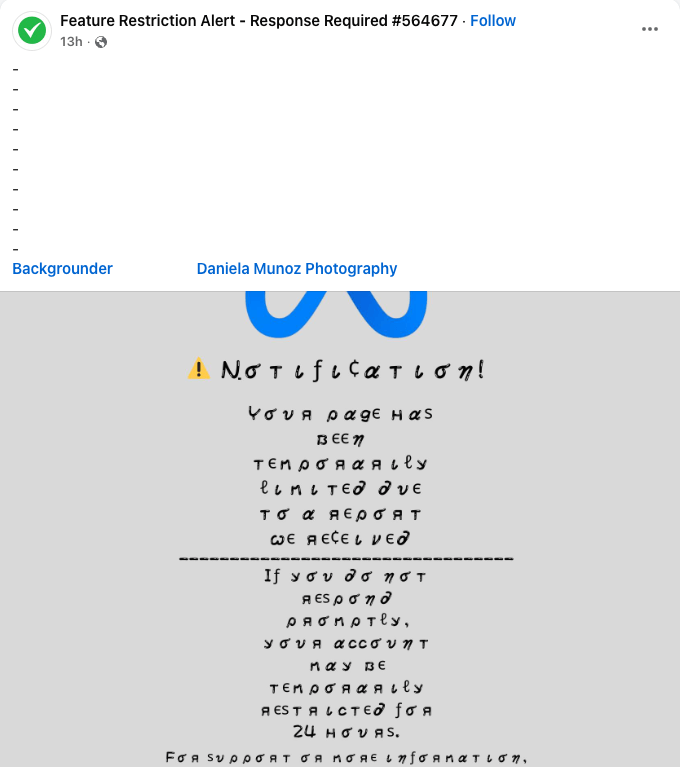
Next the link brought us to:
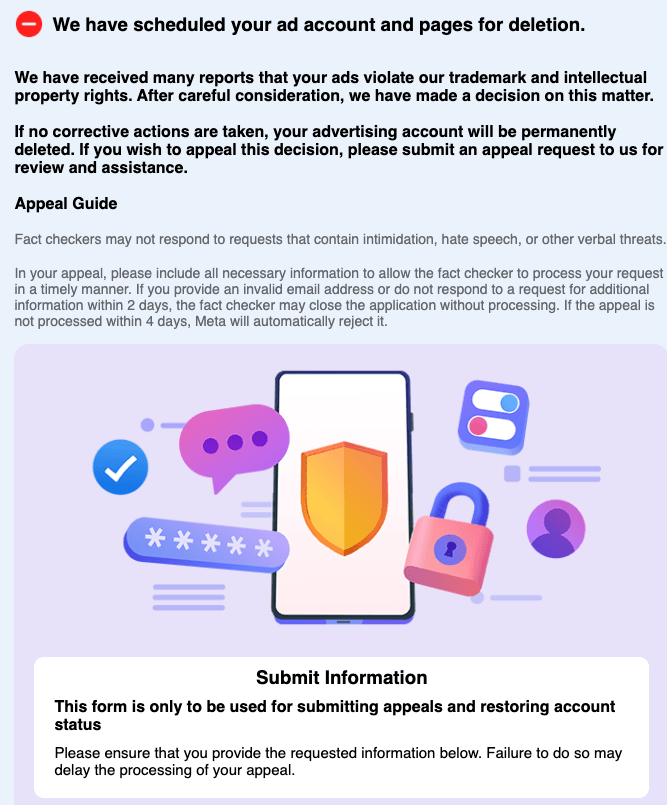
We continued:
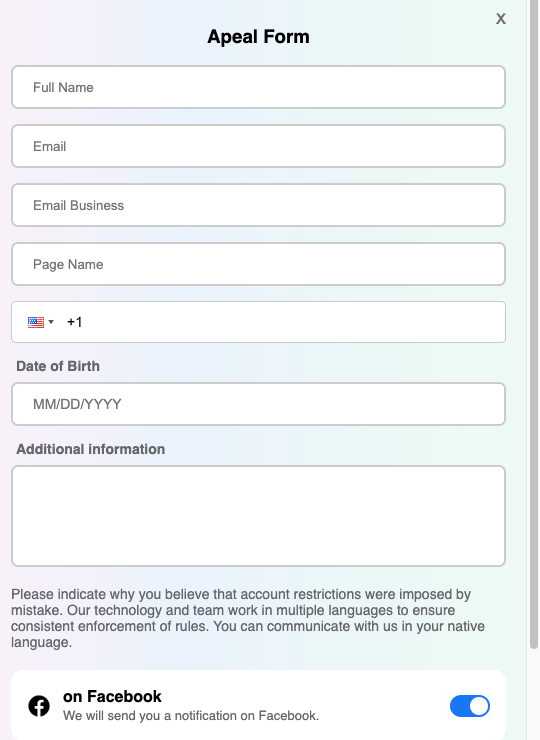
The following URL was referenced in the Facebook message: https[:]//unlock-28412521.netlify[.]app/ (do not click, but not malicious if you don’t enter anything).
A review of the domain did not return any indexed results in Google, suggesting that the infrastructure may be recently created or part of an emerging phishing campaign.
Not surprising, we conducted an analysis using Ask Carmen.
Prompt used:
“I received this message on Facebook. The link below was used. Is this a scam? https://unlock-28412521.netlify.app/”
The analysis flagged the link as highly suspicious, primarily due to the use of a generic Netlify-hosted domain that does not belong to Facebook or Meta, which is a common tactic used in phishing campaigns to impersonate account security notifications or account recovery workflows.
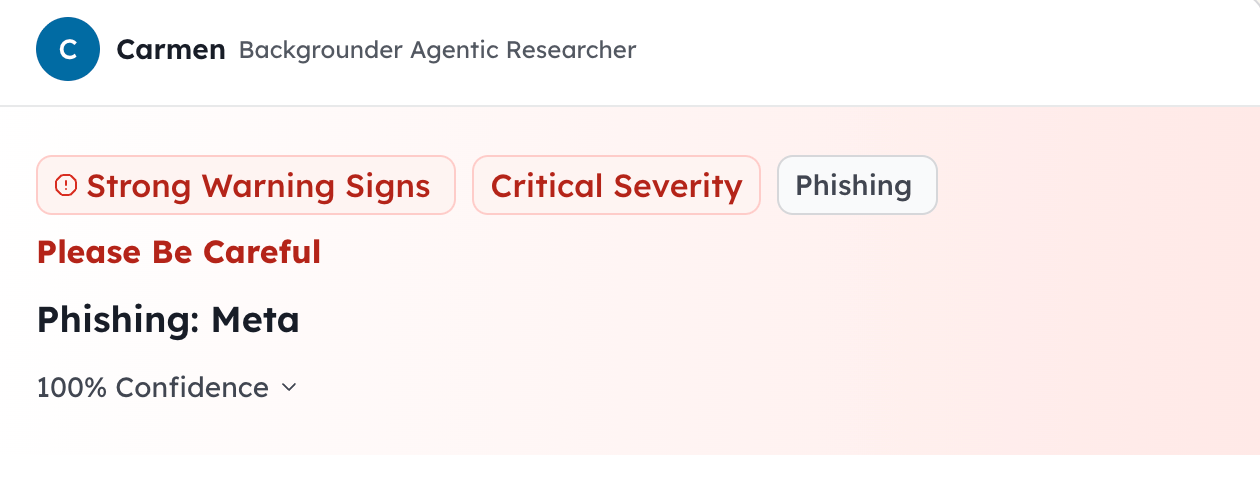
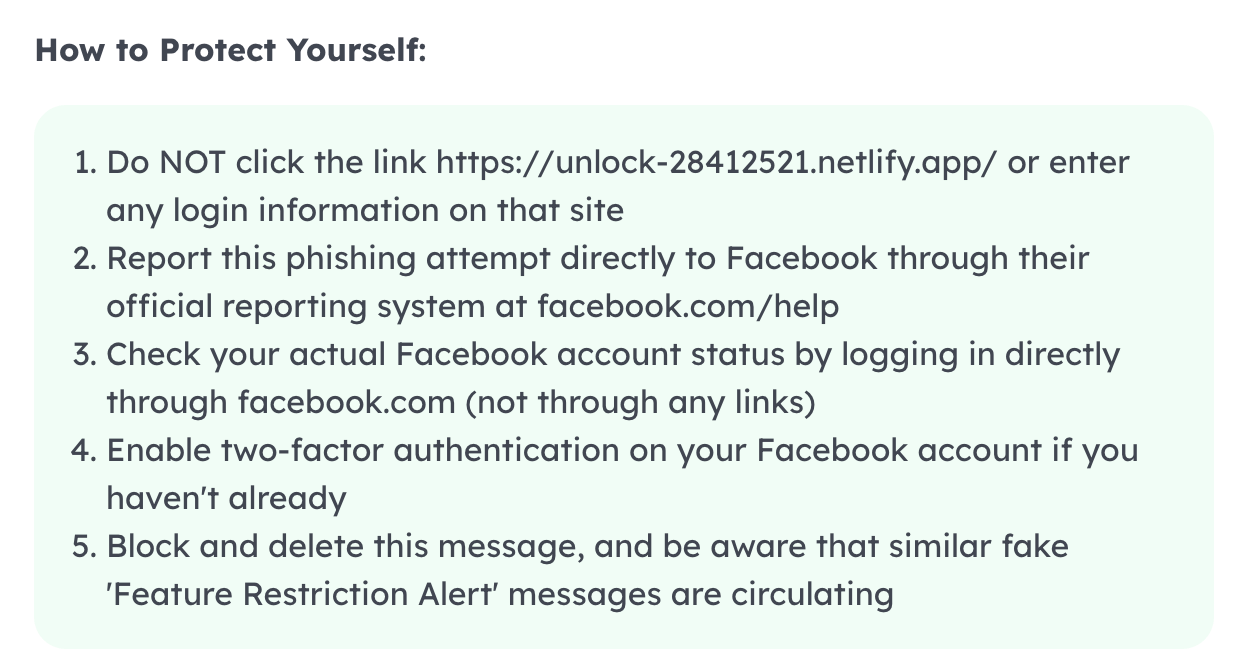
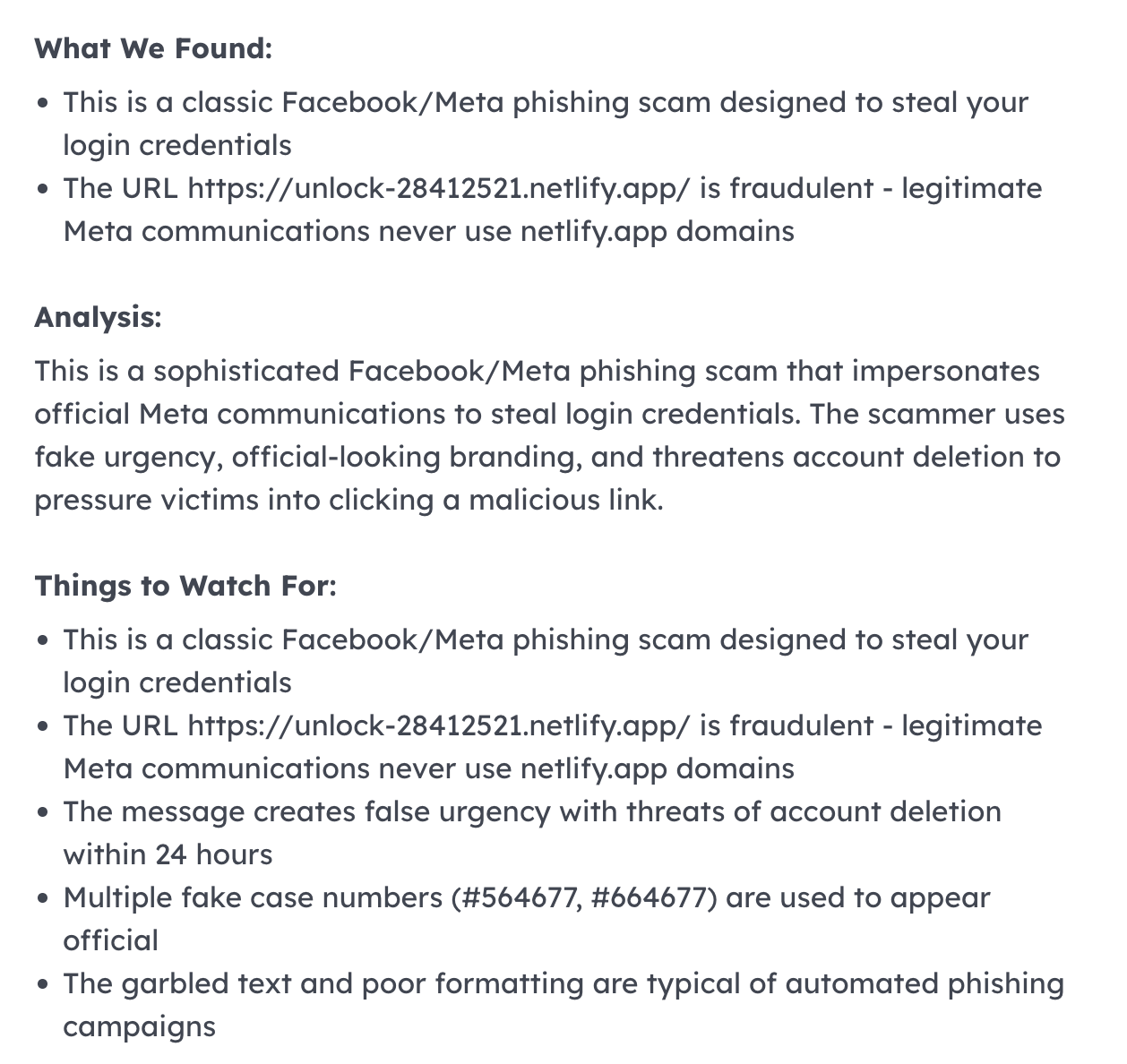
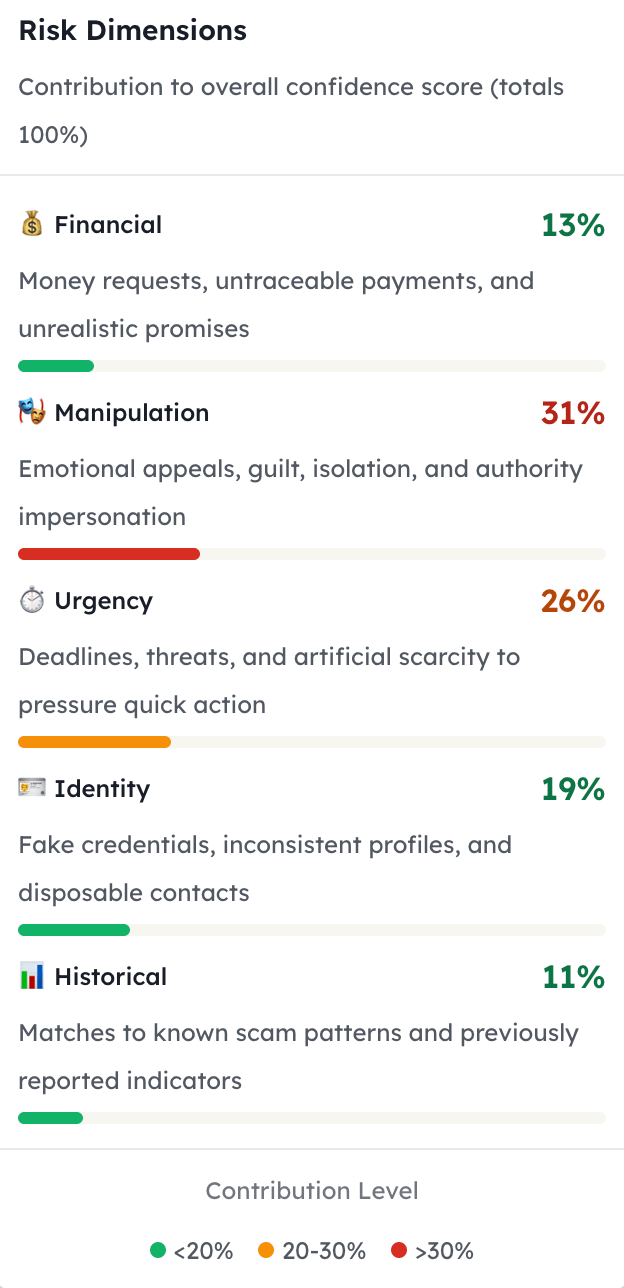
We continued to move forward and saw:
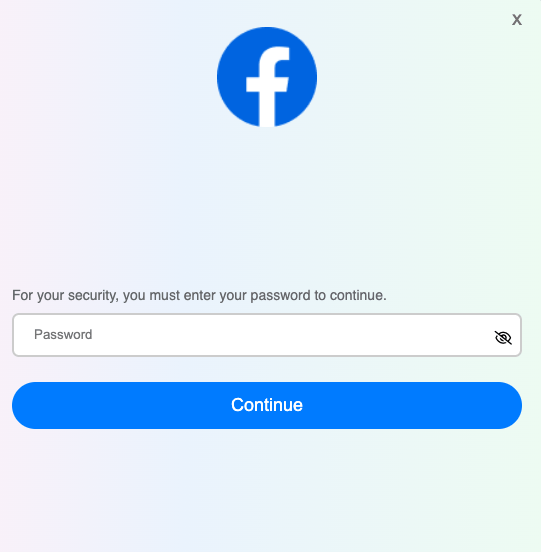
In testing, the page does not appear to accept a password regardless of what is entered, which suggests it may simply be collecting password attempts rather than completing a real login process.
The URL also contains several red flags, including a random numeric slug (28412521) and the use of “unlock” language commonly seen in phishing campaigns. If you only clicked the link and did not enter any information, you are likely fine and can simply close the page.
In testing, along with entering a password a second time, if you click “try another way”, you are directed to this page:
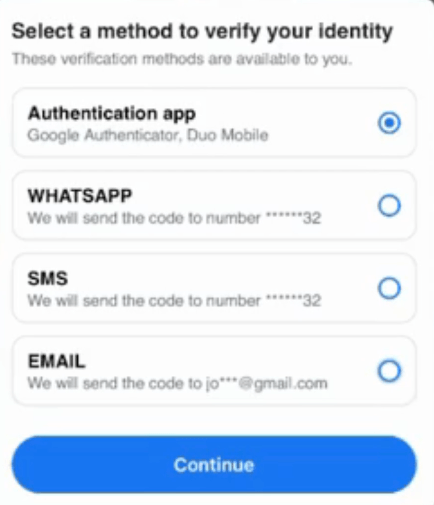
Scammers direct victims to pages like this because they are trying to capture login credentials and bypass two-factor authentication (2FA) at the same time. Pages like this are commonly used in phishing or real-time credential interception attacks. An attacker just needs a webpage with a basic 1990s HTML form, uploaded to Netlify, it will automatically collect everything submitted from the contact form.
The Phishing Infrastructure
How do the hackers know when someone has input their credentials?
Netlify can pass the data on and turn it into an authentication token that it stores. The attackers can also get an email or other notification when there is a successful submission/authentication from a potential victim.
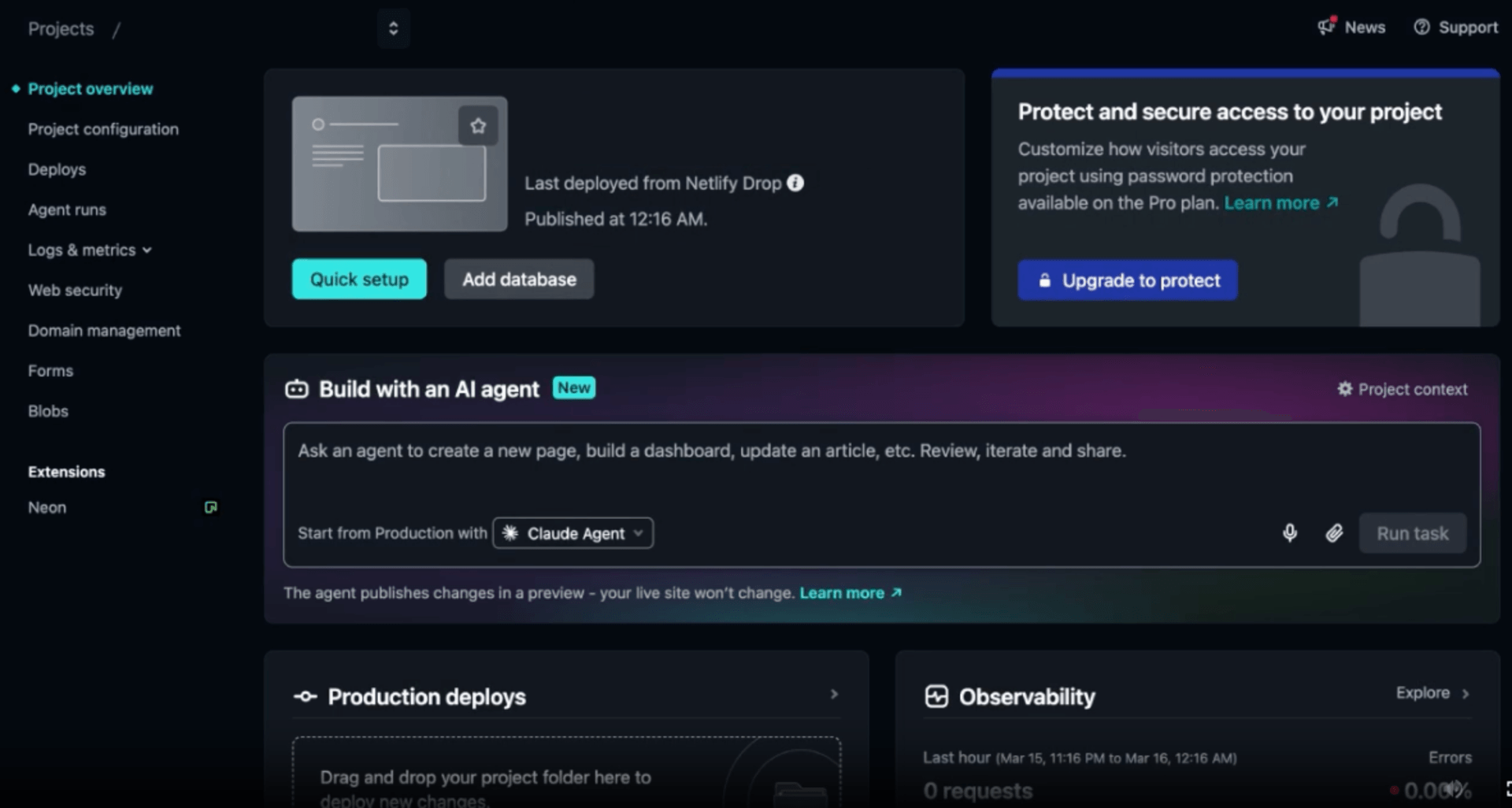
We submitted test data to see exactly what gets captured:
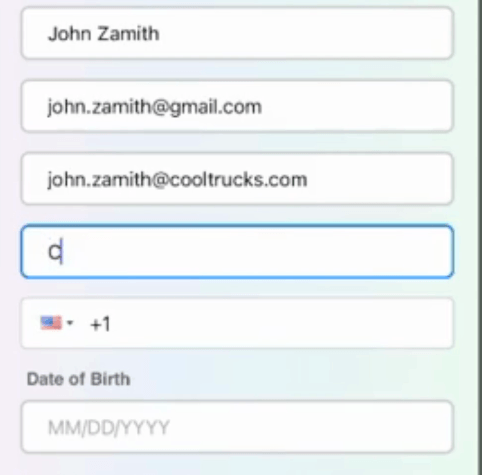
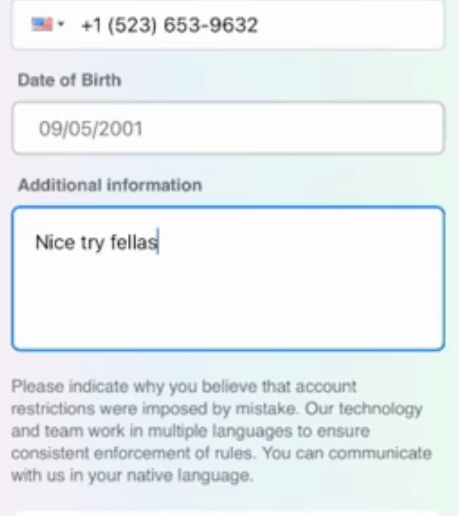
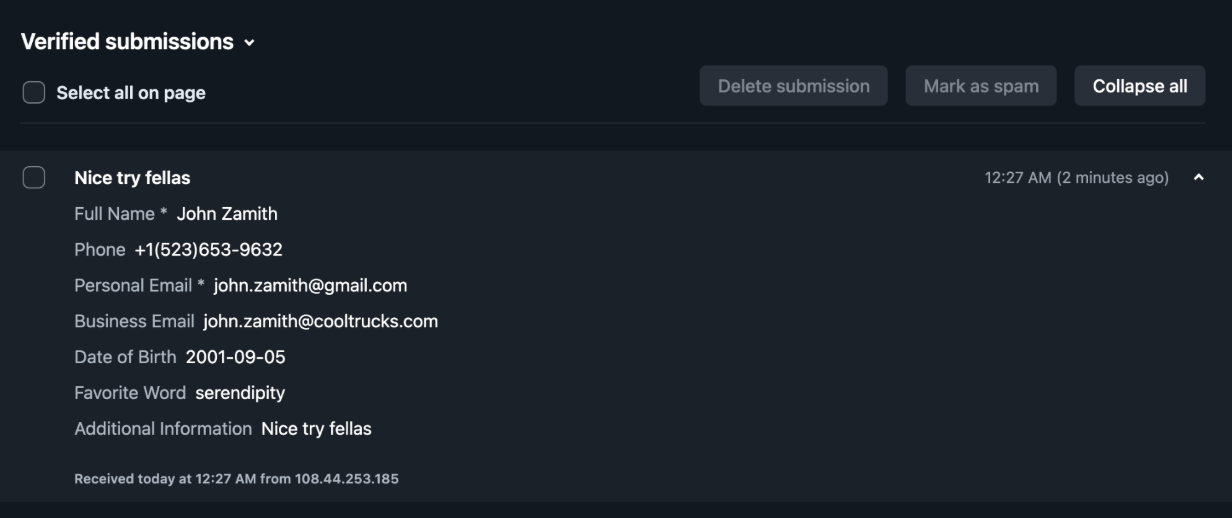
Legitimate login flows rarely show WhatsApp as a verification channel alongside standard methods. That’s commonly seen in phishing kits.
Here’s what’s usually happening behind the scenes:
The Attack Chain
1. They already captured the username and password
Most scams send a fake “security alert,” “copyright violation,” or “account locked” message (often pretending to be Facebook, Instagram, Google, etc.). When the victim enters their username and password, the attacker immediately tries to log into the real account.
2. The real service asks for 2FA
If the account has two-factor authentication enabled, the legitimate site prompts for a verification code. The phishing page mirrors that exact prompt, like the one in the screenshot above.
3. The attacker tricks you into giving them the code
When the victim selects Authentication app, SMS, WhatsApp, or Email, the real service sends a legitimate verification code. The victim enters it into the fake page → the scammer receives the code in real time → the attacker immediately uses it to log into the real account.
4. Why multiple options are shown
Showing multiple verification options increases success because:
- Some people don’t know what an authenticator app is
- Some will switch to SMS or WhatsApp, which attackers can more easily intercept
- It makes the page look more legitimate
5. What happens next
Once inside the account, scammers typically:
- Take over the account
- Change the email/password
- Run scams depending on what access the account has
- Use the account to scam friends and followers
Next Steps
If you entered your password, you should immediately change your Facebook password, enable two-factor authentication, and update any other accounts where the same password is used.
In the next couple of days, we will release a video showing how attackers weaponize this behind the scenes.