Carmen Monitor checks a page before you type into it
Carmen Monitor is a Chrome extension. When a sign-in page, a checkout or a link from a message opens, it checks the address and the page and tells you the risk before you type a password into it.
What it does
Carmen Monitor runs in Chrome on your computer. It is included with Personal and Business, with no credits used.
Watches
The pages you open, including sign-in pages, checkouts and links from mail and messages.
How it alerts
A card in the side panel with the risk level, the reasons and one action, before you type. A badge on the toolbar.
Never reads
What you type. Personal details on the page are removed on the device before anything is sent.
Setup
A Chrome extension from the Chrome Web Store. Sign in once.
Where
Chrome on desktop. The in-browser flag for mail is Gmail on the web for now.
A page that copies your bank
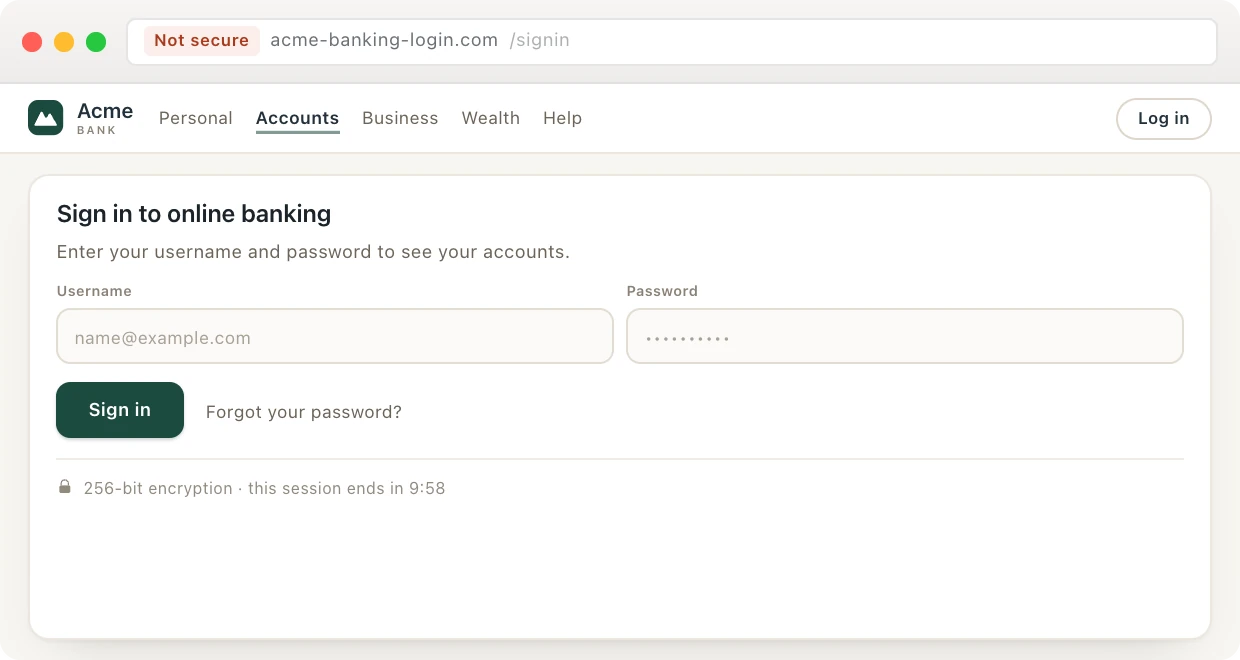
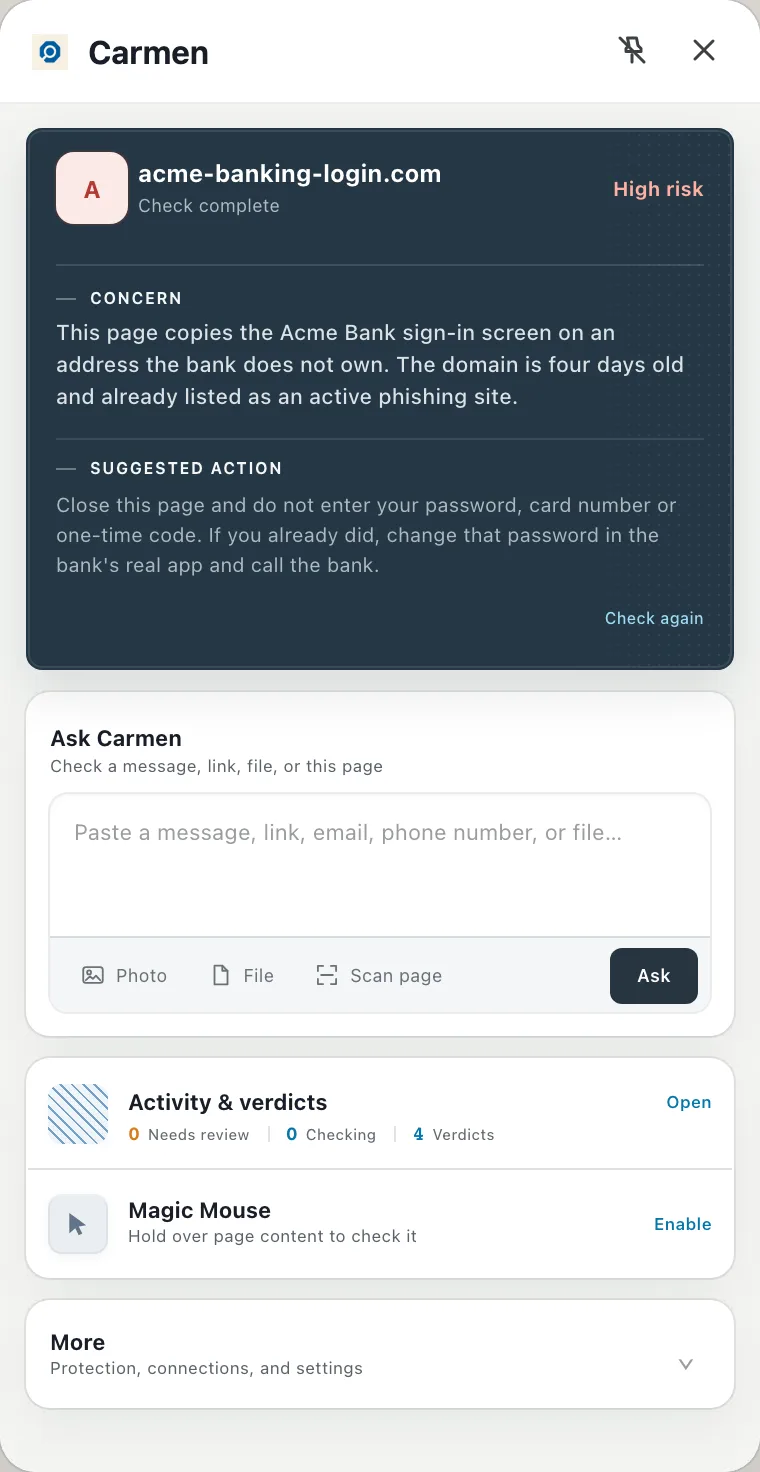
A sign-in page on acme-banking-login.com, with the bank’s logo and the bank’s wording. Carmen Monitor sees the address is four days old and already listed as a phishing site.
The card says High risk, why, and what to do: close the page and do not enter your password, card number or one-time code. If you already did, change that password in the bank’s real app and call the bank.
What Carmen checks here
How long it has existed
A real bank or shop has had its address for years. A scam registered it last week.
Whether the name matches
“Acme Bank” from acme-banking-login.com is not Acme Bank.
What it is asking for
A password, a card number or a code, weighed against who is asking.
Where the links go
The text of a link and the place it leads are often two different places.
What happens to your data
Carmen checks what it needs to judge the risk and keeps the answer. The message itself is discarded.
What leaves the device
The scrubbed text or link, over an encrypted connection. Names, numbers and IDs are removed first, in the browser and on the phone.
What is kept
The verdict, the reasons, which account it was for, and when.
What is not kept
The messages Carmen screens for you. Each one is checked, answered and then discarded.
Who sees it
Only our software. A person sees it only if you ask for expert help.
Turning it off
Mail, browsing and phone screening are each a switch, per person.
Common questions
All questions →Does it slow my browser down?
No. Carmen only checks the address and the page, so pages open as normal.
What happens when I am offline?
Well known sites still pass on the device. Anything else shows as not checked until you are back online.
Does it block pages?
No. It warns you, and you decide.
Does it use credits?
No. Screening in the browser is included and not counted, within fair use. Credits are only used when you ask Carmen to look deeper.
Get Carmen Monitor
Carmen Monitor comes with Personal and Business, along with the other three products. Personal is $5.99 a month and Business is $9.99 a seat.