Carmen Email checks incoming mail for fake invoices
Carmen Email screens mail as it lands, behind the gateway you already have. It checks the sender, the links, the urgency and changed bank details, and flags the message with the reasons before anyone pays it.
What it does
Carmen Email works on the mailbox, so nobody installs anything. It is included with Personal and Business, with no credits used.
Watches
Mail as it arrives in the connected mailbox.
How it alerts
An alert with the verdict, the reasons and the action. In a company, the same alert can go to an address the admin chooses. Everything flagged appears in the activity log.
What it keeps
The verdict and who received it. The contents of each message are checked and then discarded.
Setup
Connected by your admin through Google Workspace or Microsoft 365. No per-person install. On a Personal plan you connect it yourself.
Where it sits
Behind your email gateway. Carmen looks for the scam, identity and manipulation signals a filter is not built to read.
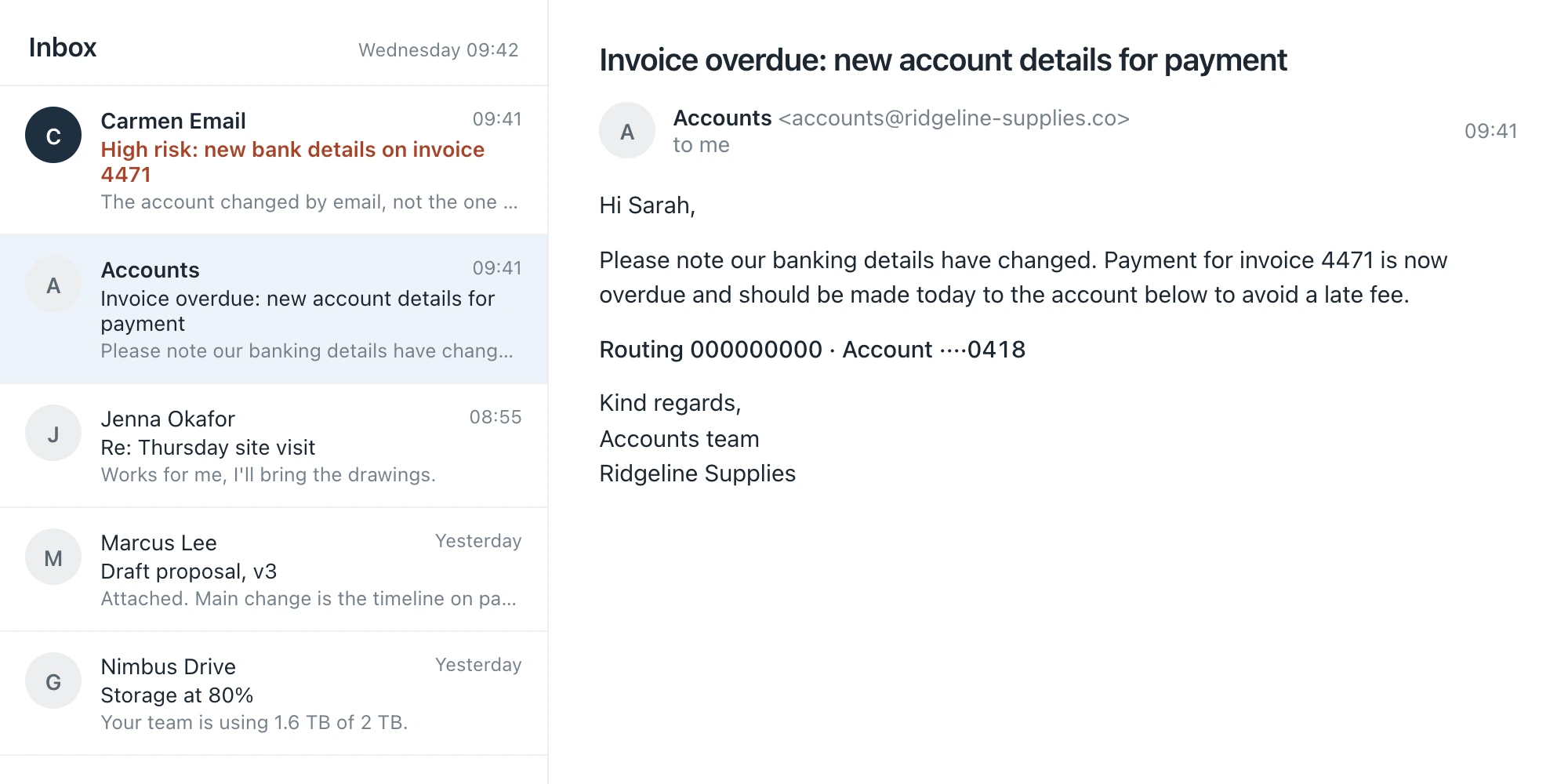
An invoice with new bank details
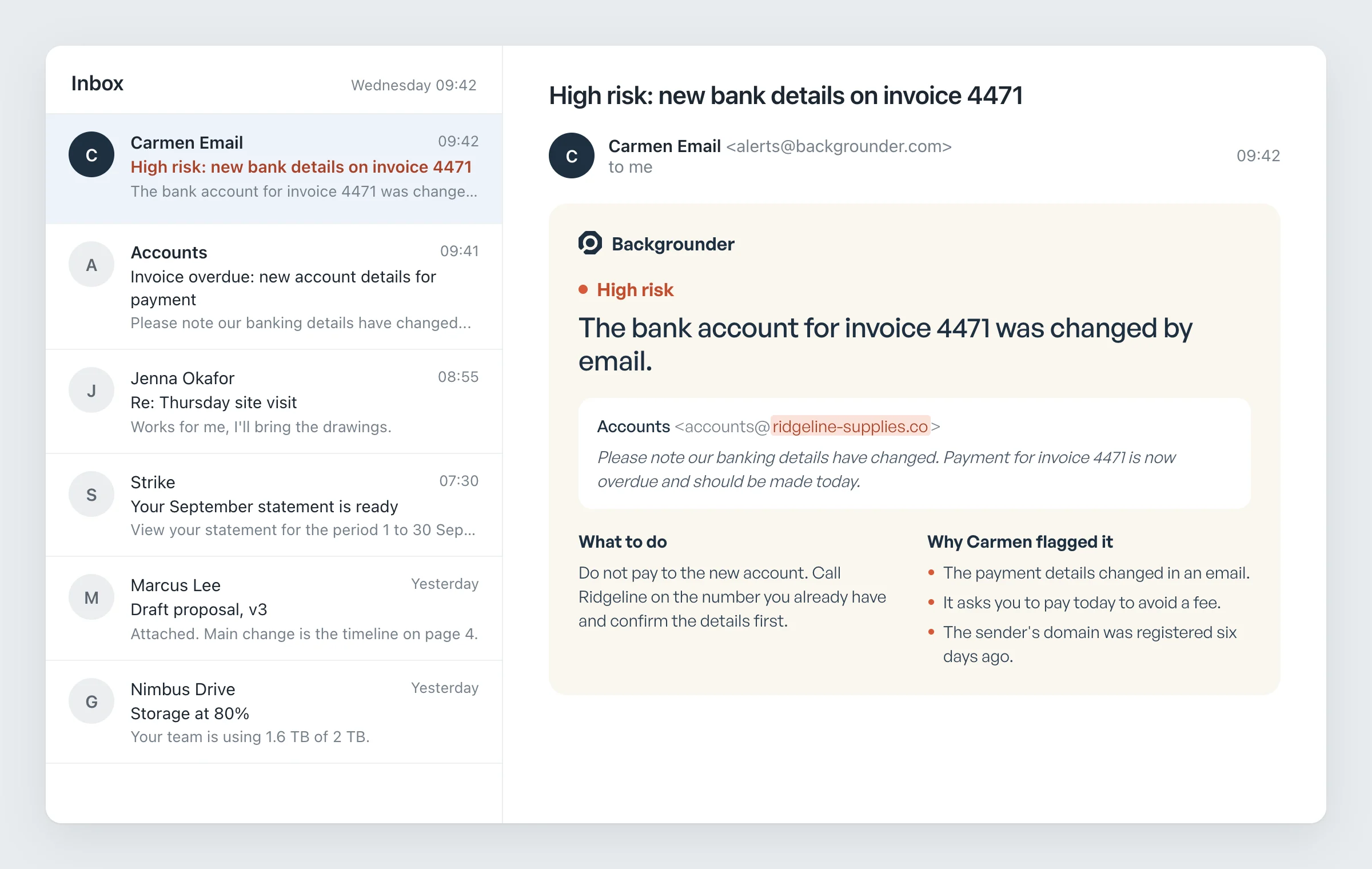
The message is in a real thread with a real supplier, but the account number has changed and the sending address is nine days old. Carmen Email notices the changed account number and the lookalike domain.
The alert says High risk and tells you to confirm the new account by phone, on a number you already hold, before you pay anything.
What Carmen checks here
Who is really sending it
Whether the message truly came from the address it claims, or only looks like it.
What it is asking for
A payment, a new bank account, a code or a password, weighed against who is asking.
How it reads
Urgency, a fee, a deadline, a changed account number, a story that does not quite hold.
Whether Carmen has seen it before
The same text sent to fifty people, or a domain flagged last week.
What happens to your data
Carmen checks what it needs to judge the risk and keeps the answer. The message itself is discarded.
What leaves the device
The scrubbed text or link, over an encrypted connection. Names, numbers and IDs are removed first, in the browser and on the phone.
What is kept
The verdict, the reasons, which account it was for, and when.
What is not kept
The messages Carmen screens for you. Each one is checked, answered and then discarded.
Who sees it
Only our software. A person sees it only if you ask for expert help.
Turning it off
Mail, browsing and phone screening are each a switch, per person.
Common questions
All questions →Does it work with Outlook?
Yes. Inbox screening works with Google Workspace and Microsoft 365, connected by your admin.
Does it replace our email security?
No. It sits behind it. Your gateway filters spam and malware; Carmen reads the scam, identity and manipulation signals in what gets through.
Does it keep our email?
No. Each message is checked and discarded. The verdict and who received it are kept in the activity log.
Does it use credits?
No. Screening is included with every seat and not counted, within fair use. Credits are only used when someone asks Carmen for a deeper check.
Get Carmen Email
Carmen Email comes with Personal and Business, along with the other three products. Personal is $5.99 a month and Business is $9.99 a seat.