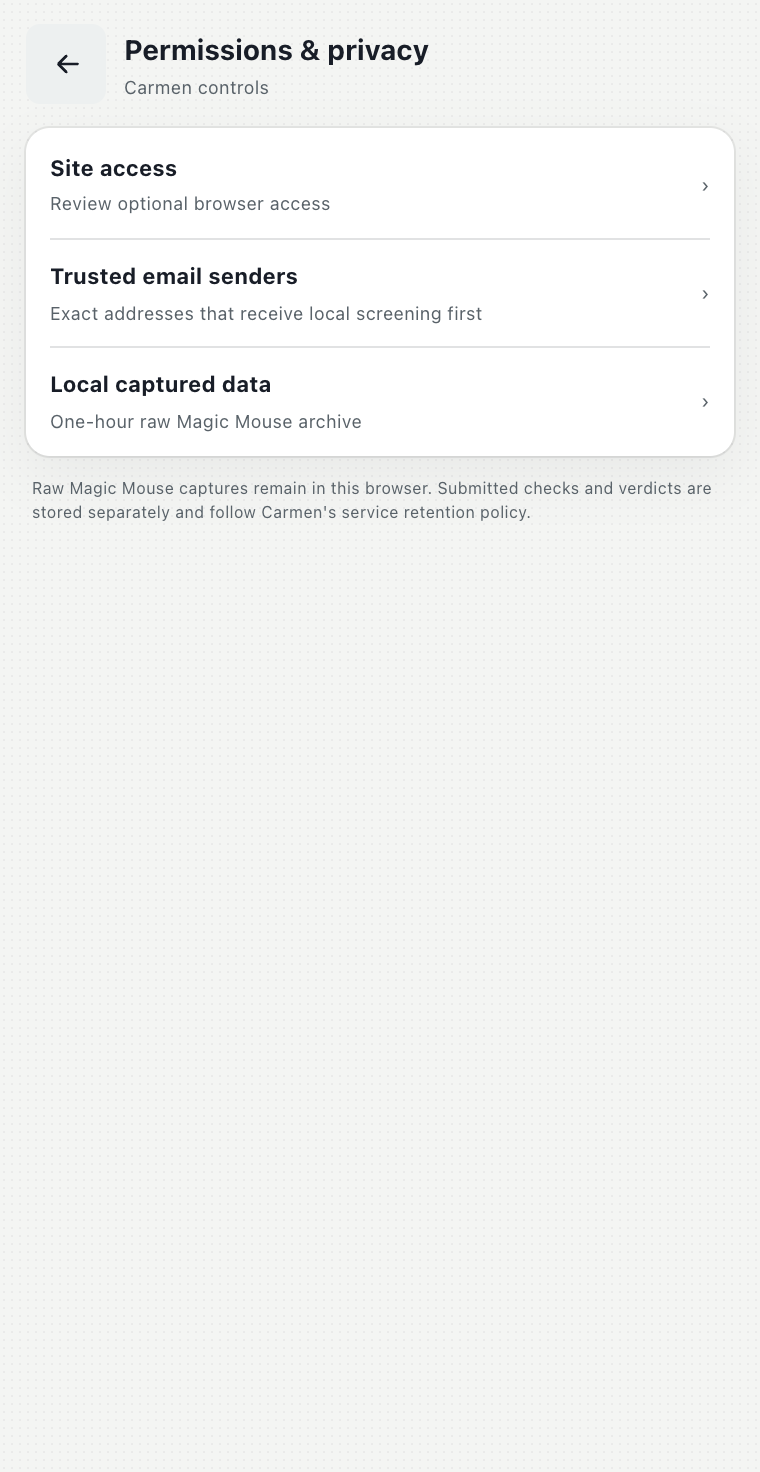
How the Carmen extension works.
The Carmen extension checks the page you are on, watches the sites you choose, and takes anything you give it.
How the extension works
The extension brings Carmen to your browser. It does four things, and every one of them goes to the same Carmen as the web app: it checks the address of every page you open; it watches the sites you choose and checks suspicious messages on its own; it lets you paste, attach or scan anything from the side panel; and with Magic Mouse it reads whatever you point at. For everything Carmen can do (any input, any depth, the case page, sharing, expert help) open the web app. How Carmen decides is the same everywhere.
The panel
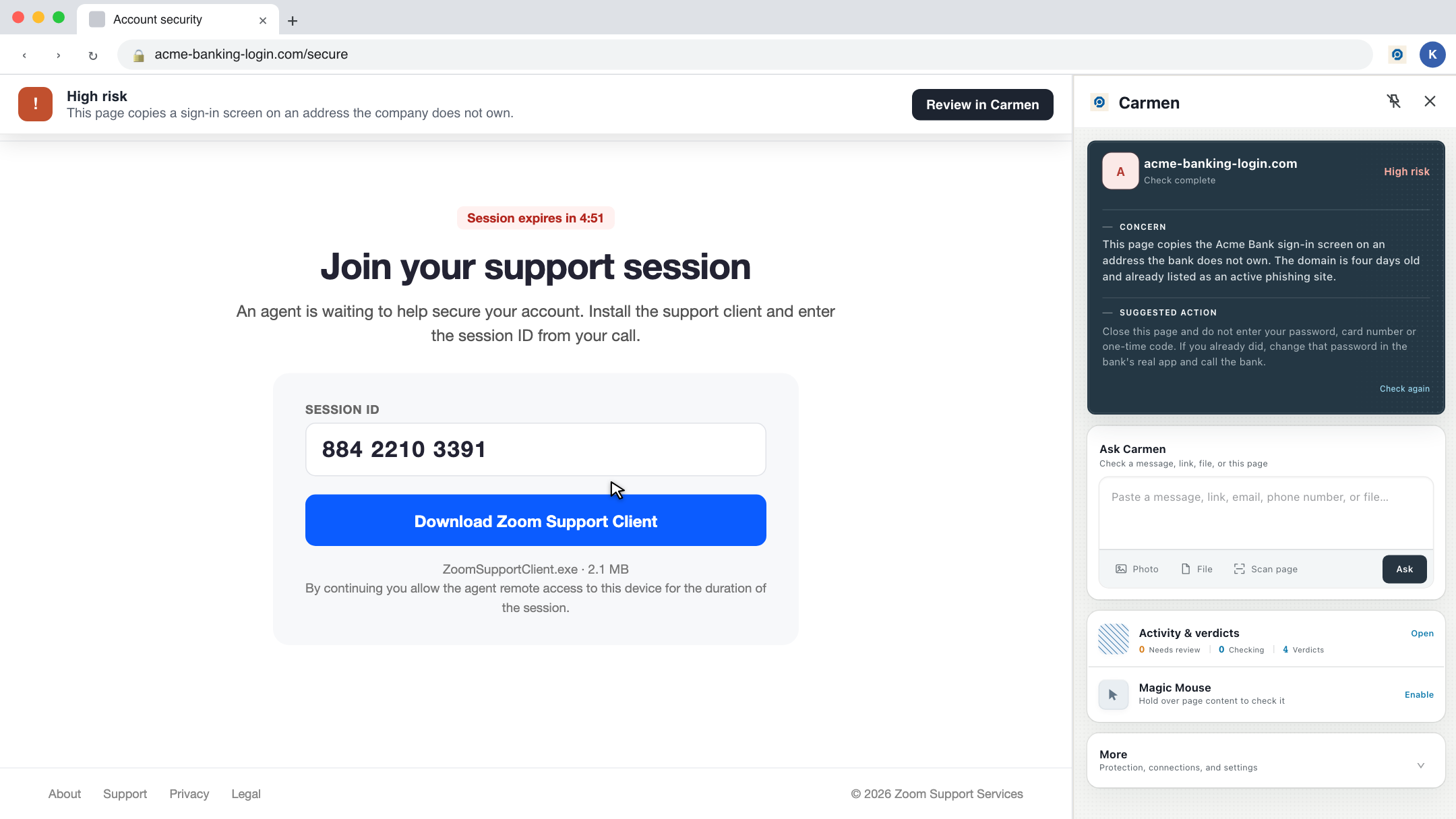
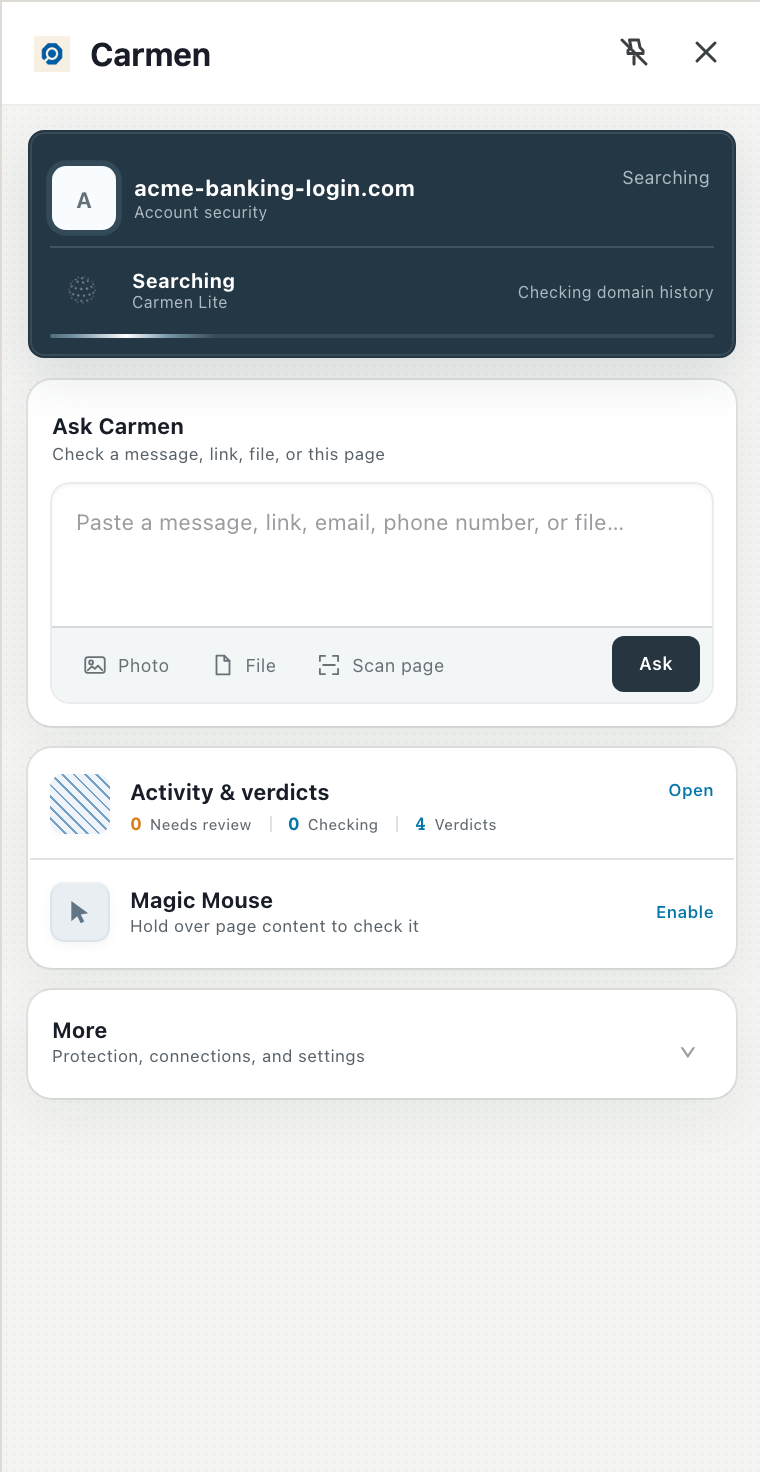
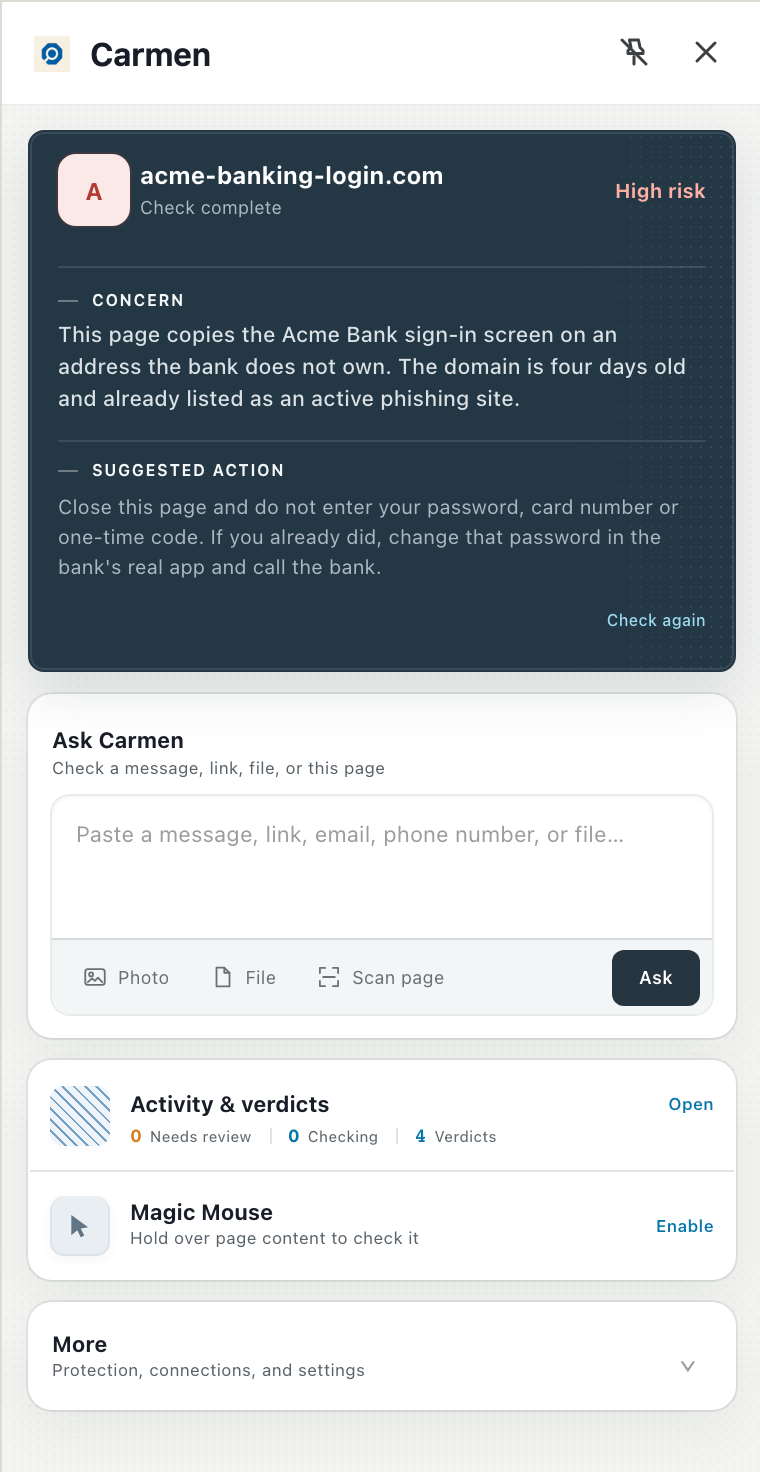
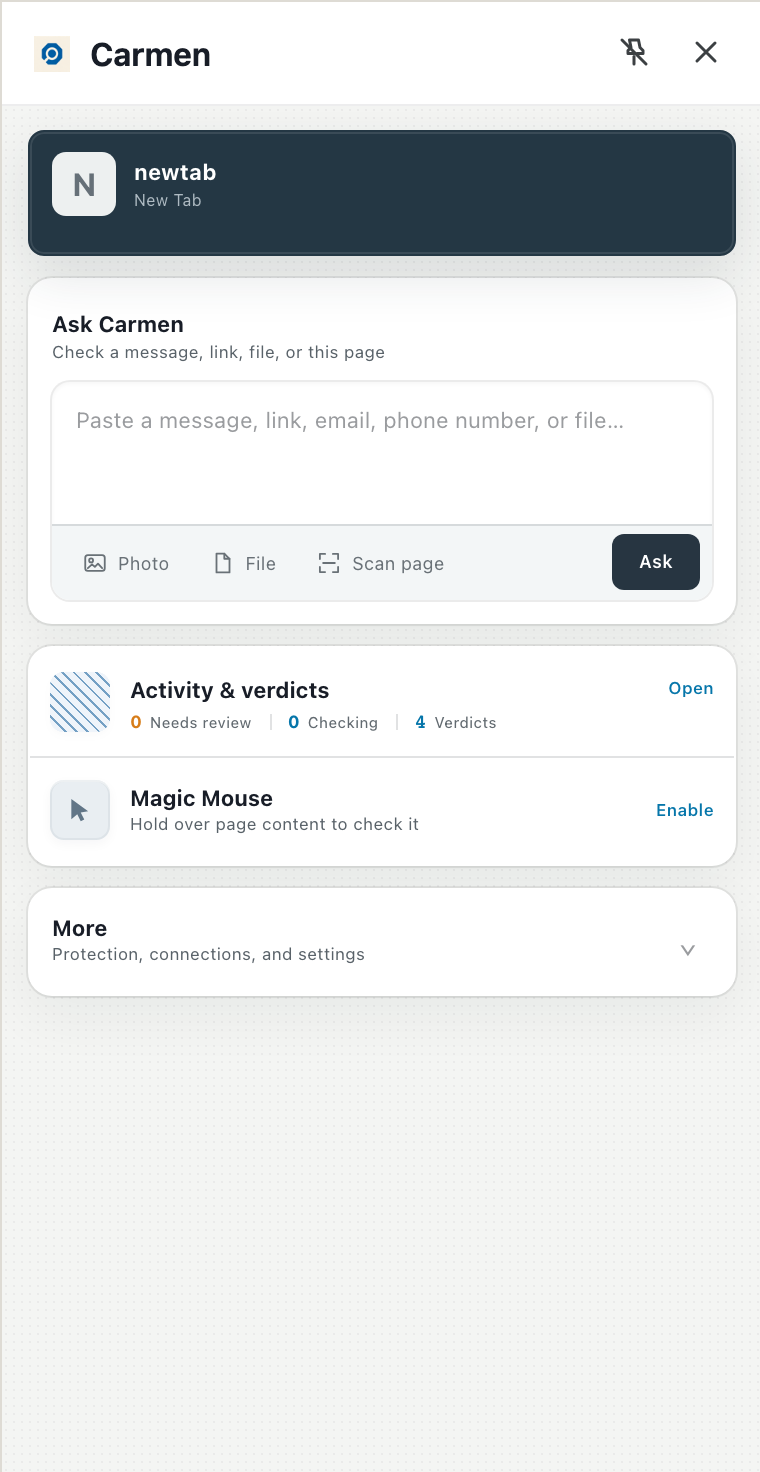
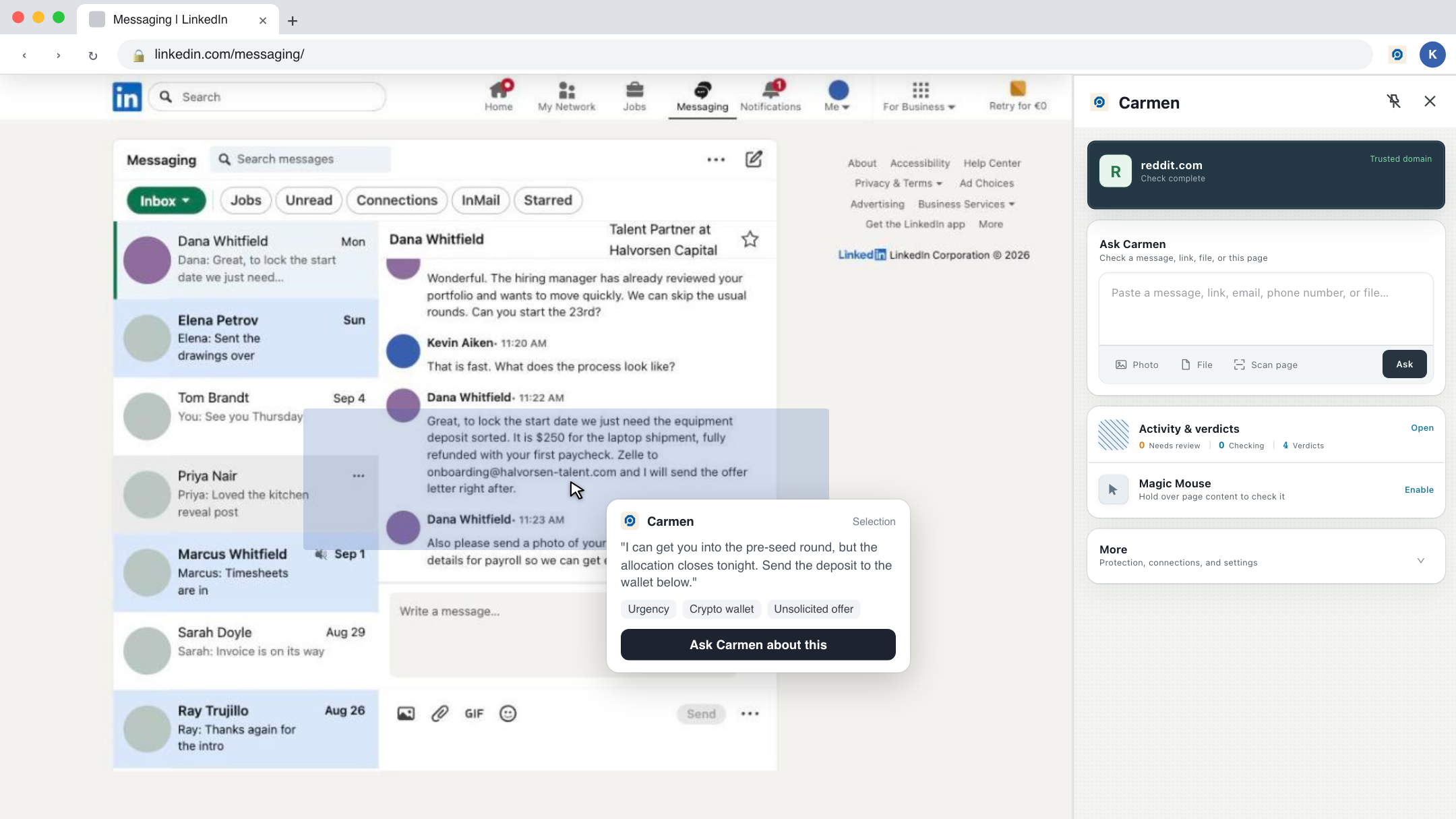
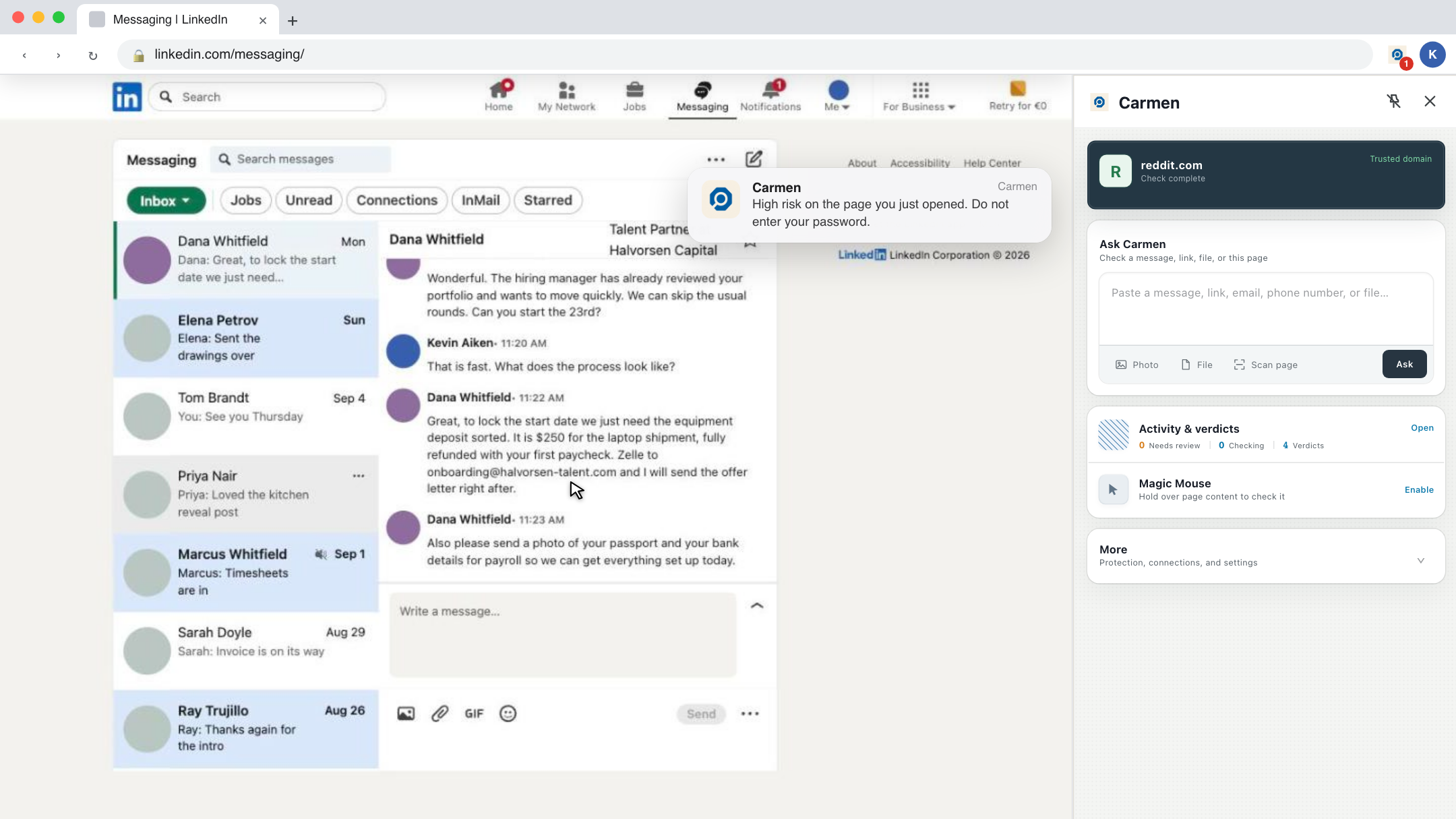
Click the Carmen icon in the toolbar and the panel opens on the right. The top card is about the page you are on. Below it is Ask Carmen, then Activity and verdicts, then the two switches for automatic checks and Magic Mouse, then More for settings.
The page you are on
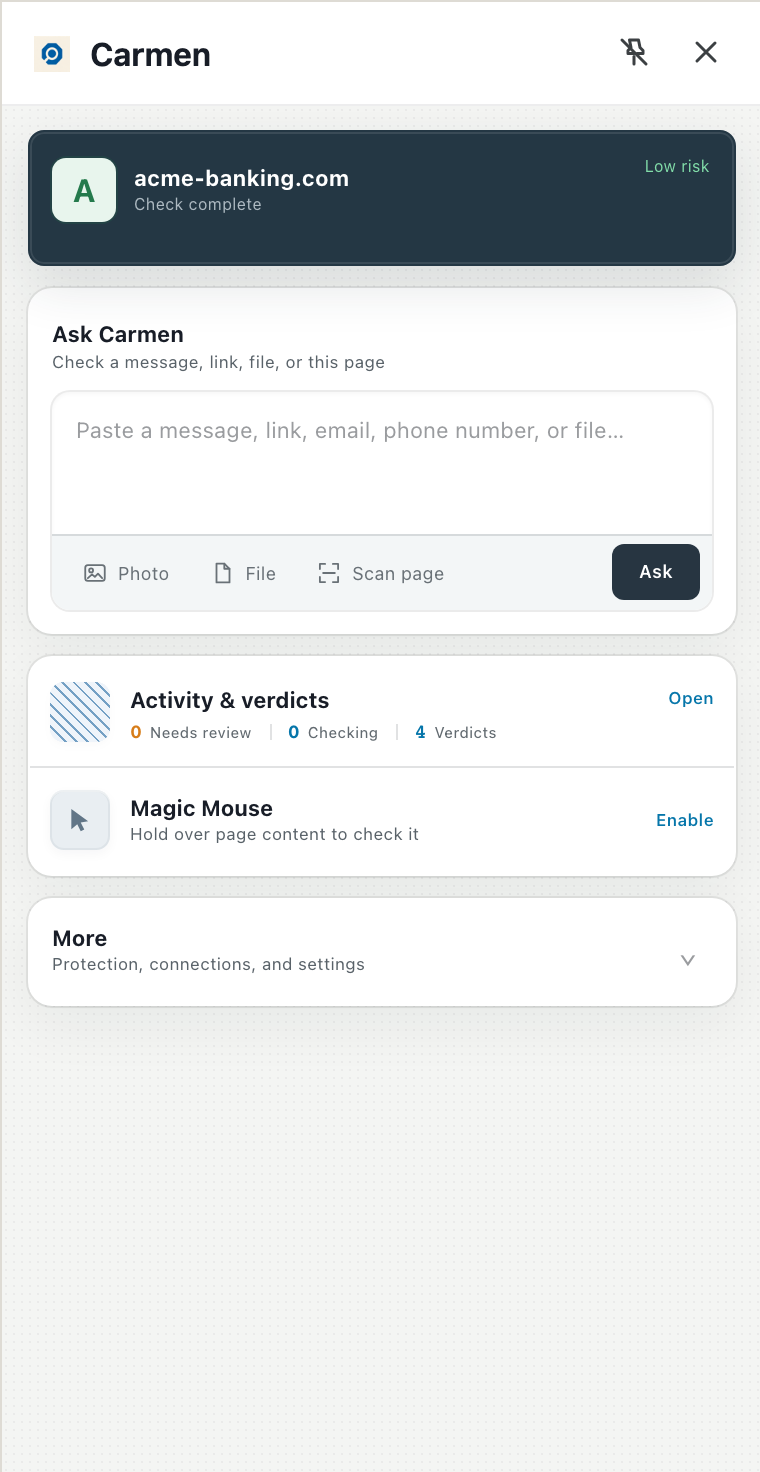
Every time you open a page or switch tab, Carmen looks at the address. Well known sites are cleared on your computer without sending anything. Everything else is checked. Carmen sends only the address and not the page content. The top card says Trusted domain, then Searching, then Low, Medium or High risk with the reason and one thing to do.
Ask Carmen
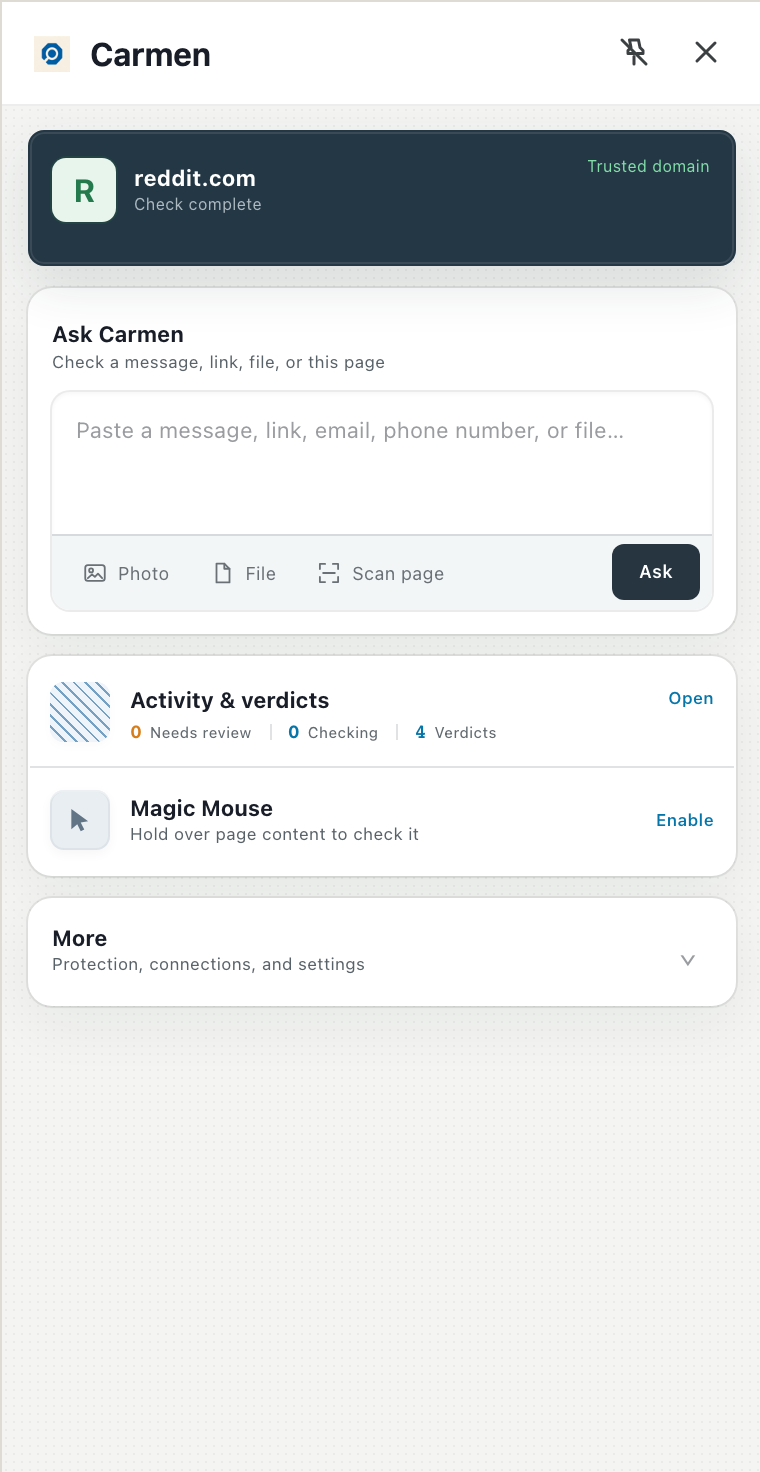
Paste a message, a link, an email or a phone number. Add a photo or a file (a PDF or an .eml), or click Scan page to check the whole page you are on. Nothing is sent until you click Ask. What you paste is sent as you pasted it, so leave out anything you do not want checked. The result appears in the panel and is saved to Activity.
Check a message, link, file, or this page.
Automatic content checks
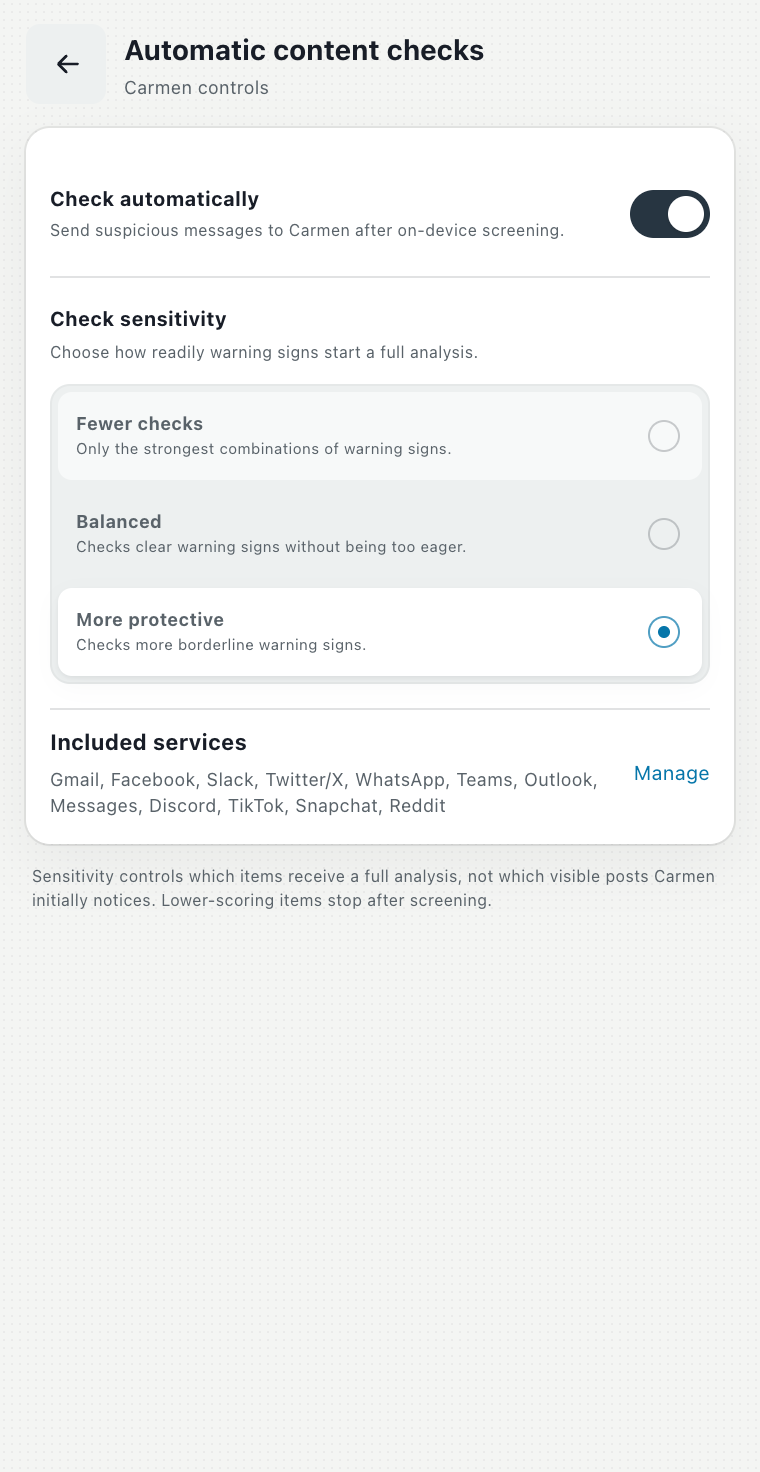
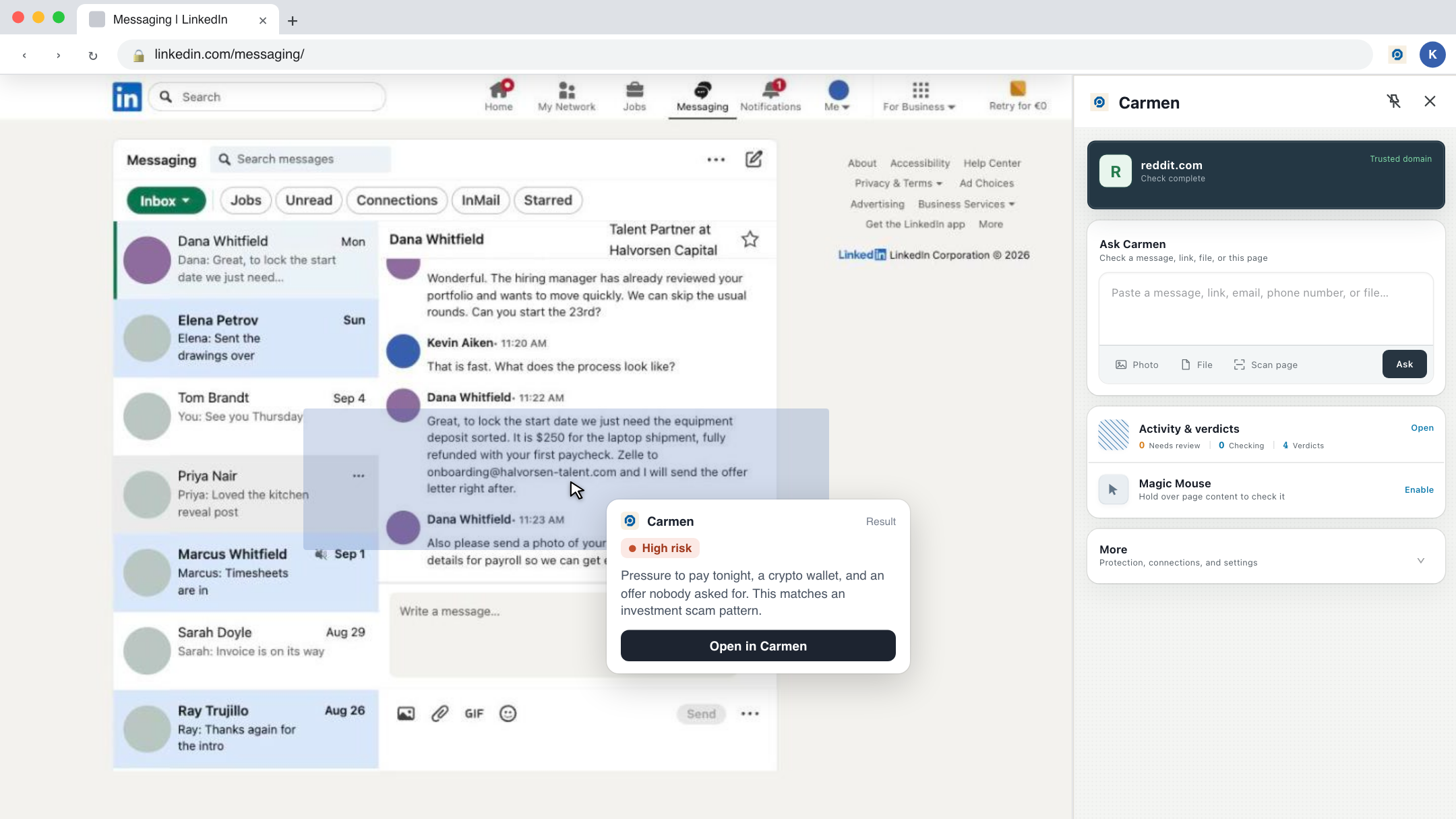
This is off until you turn it on. When it is on, Carmen reads the messages you view on the sites you have chosen (Gmail, Outlook, WhatsApp Web, LinkedIn and others, see the list below), removes names, numbers, addresses and other personal details on your computer, and sends anything that looks suspicious for a full check. Routine messages never leave your computer. You choose how eager it is: Fewer checks, Balanced, or More protective.
Magic Mouse
This is off until you turn it on. When it is on, a highlight follows your cursor. Rest on a message or a post and Carmen reads it on your computer and shows what it noticed (links, domains, phone numbers, crypto addresses) without sending anything. Hold still on the same block for ten seconds and Carmen checks it properly. Follow the result in Activity. Turning it on asks Chrome for access to all websites, because Magic Mouse works anywhere.
The sites Carmen can watch
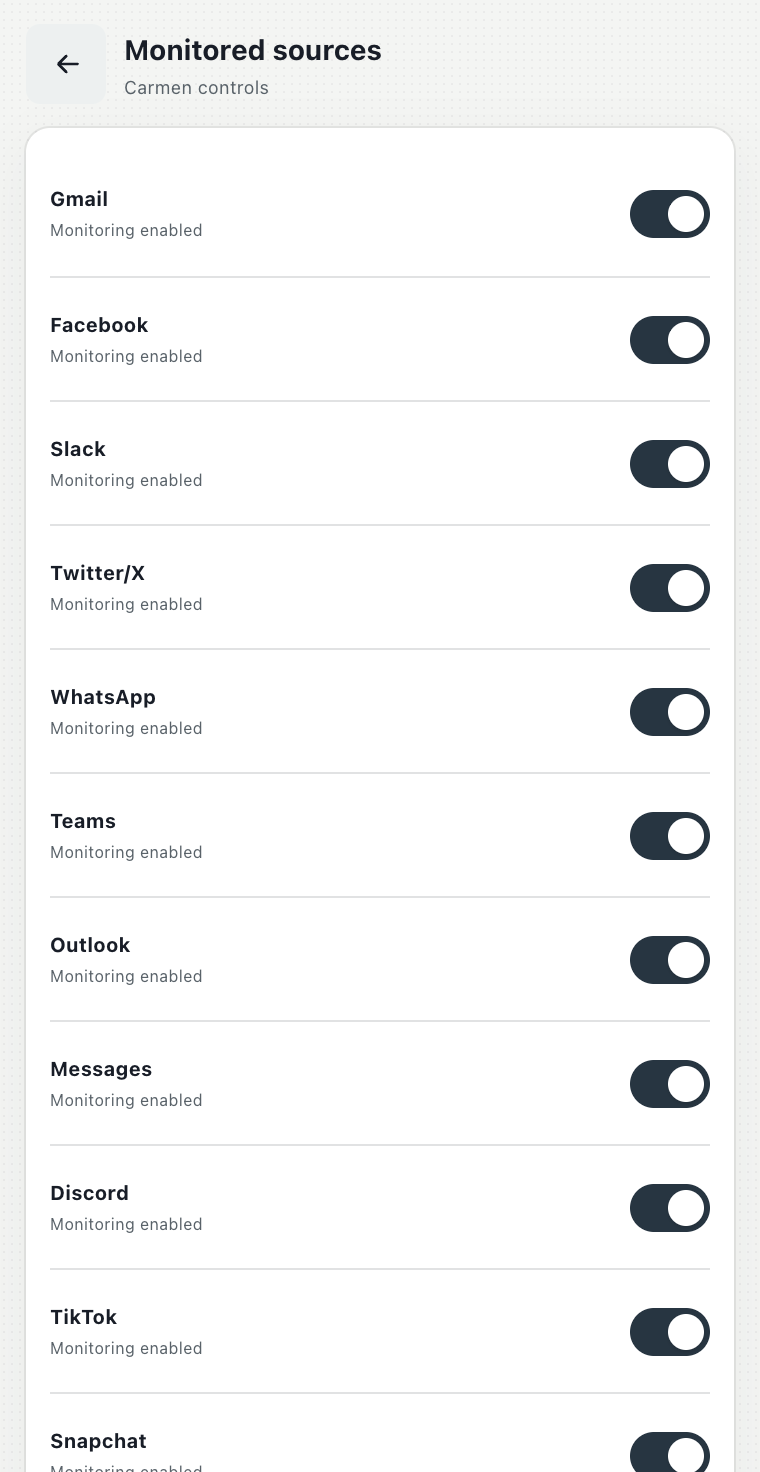
Carmen can watch Gmail, Outlook on the web, Facebook and Messenger, Slack, X, WhatsApp Web, Microsoft Teams, Google Messages, Discord, TikTok, Snapchat, Reddit, and LinkedIn. Each one is a switch under More, Connections, Monitored sources. LinkedIn is off until you turn it on. On any other site the page check still runs and Ask Carmen still works.
Activity and verdicts
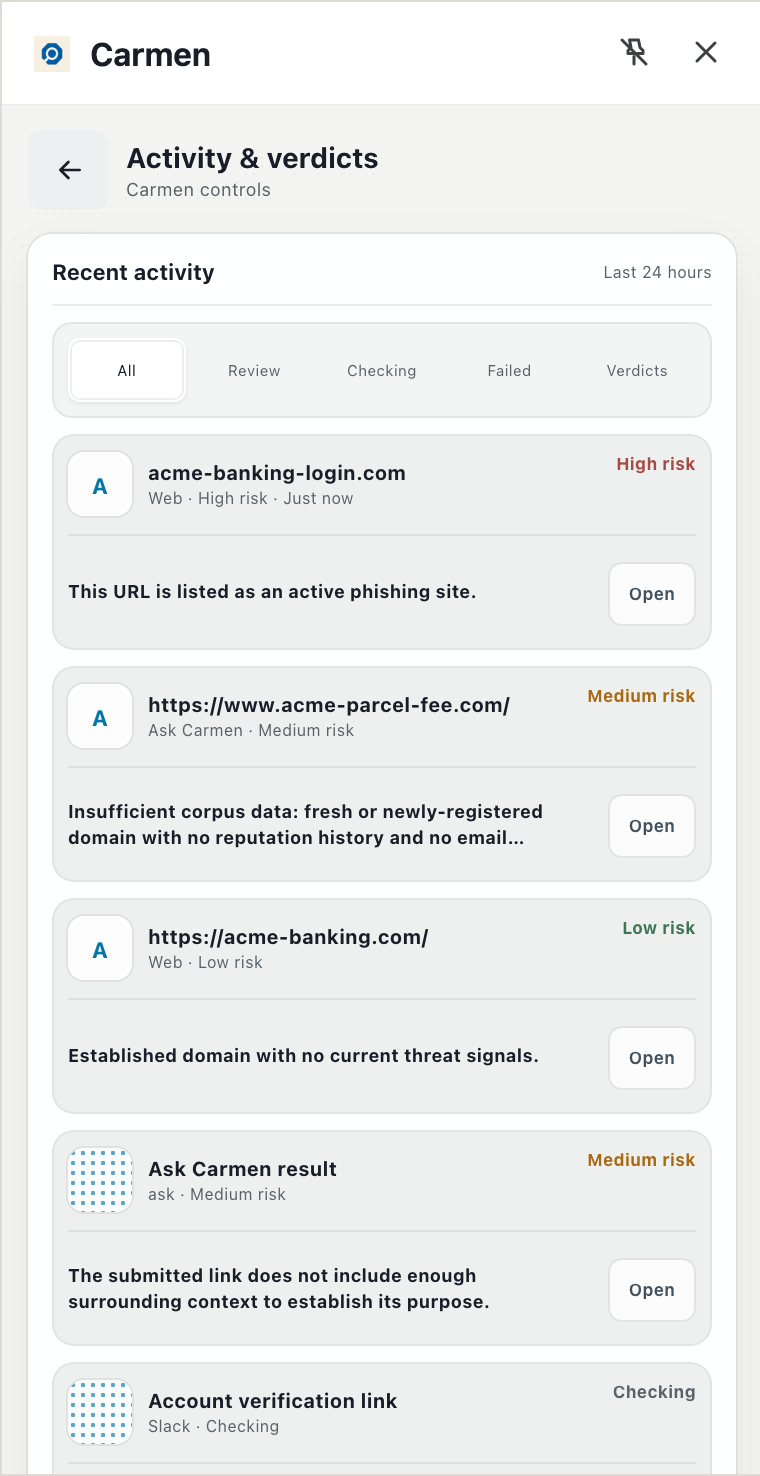
Activity lists everything Carmen looked at in the last 24 hours, newest first: what needs review, what is still checking, and the verdicts. Open any row for the reasons. Items Carmen captured but did not send stay on your computer and are deleted after an hour.
Alerts
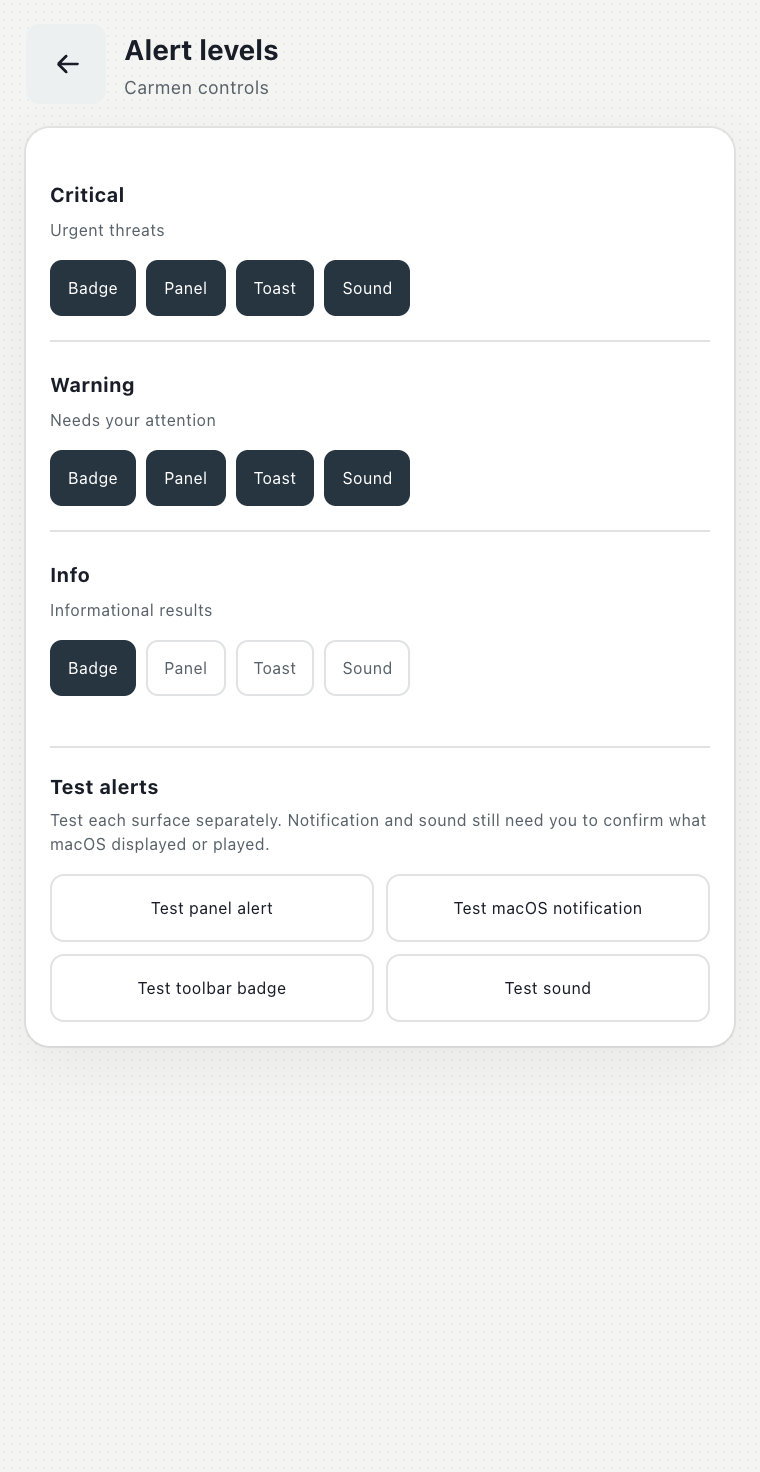
When a check comes back High or Medium risk, Carmen can show a number on the toolbar icon, a banner in the panel, a notification on your desktop, and play a sound. Each is a switch, per level, under More, Protection, Alert levels. You get at most one alert per site per day, so a bad site does not keep alerting you.
What leaves your computer
Carmen sends the address of the page you are on, for sites not on the trusted list. It sends messages from the sites you turned on, after personal details are removed. It sends anything you paste or attach yourself, as you pasted it. Magic Mouse sends only when you hold still for ten seconds, and on sites it does not know it sends only the links and numbers it found and not the page itself. Nothing is sent while you hover. Carmen does not read what you type into forms, your passwords, your history or your clipboard. There is no tracking or analytics in the extension.