

While no technology can completely eliminate scam attempts, there are several iPhone settings that can help reduce unwanted text messages and phone calls from numbers not in your contact list. These features can be effective for many users; however, they may not be suitable for individuals in service-based roles who rely on receiving calls from unknown numbers.
We cover this on our YouTube Channel: watch the short video.
Filter Unknown Text Messages
iPhone: Settings > Messages
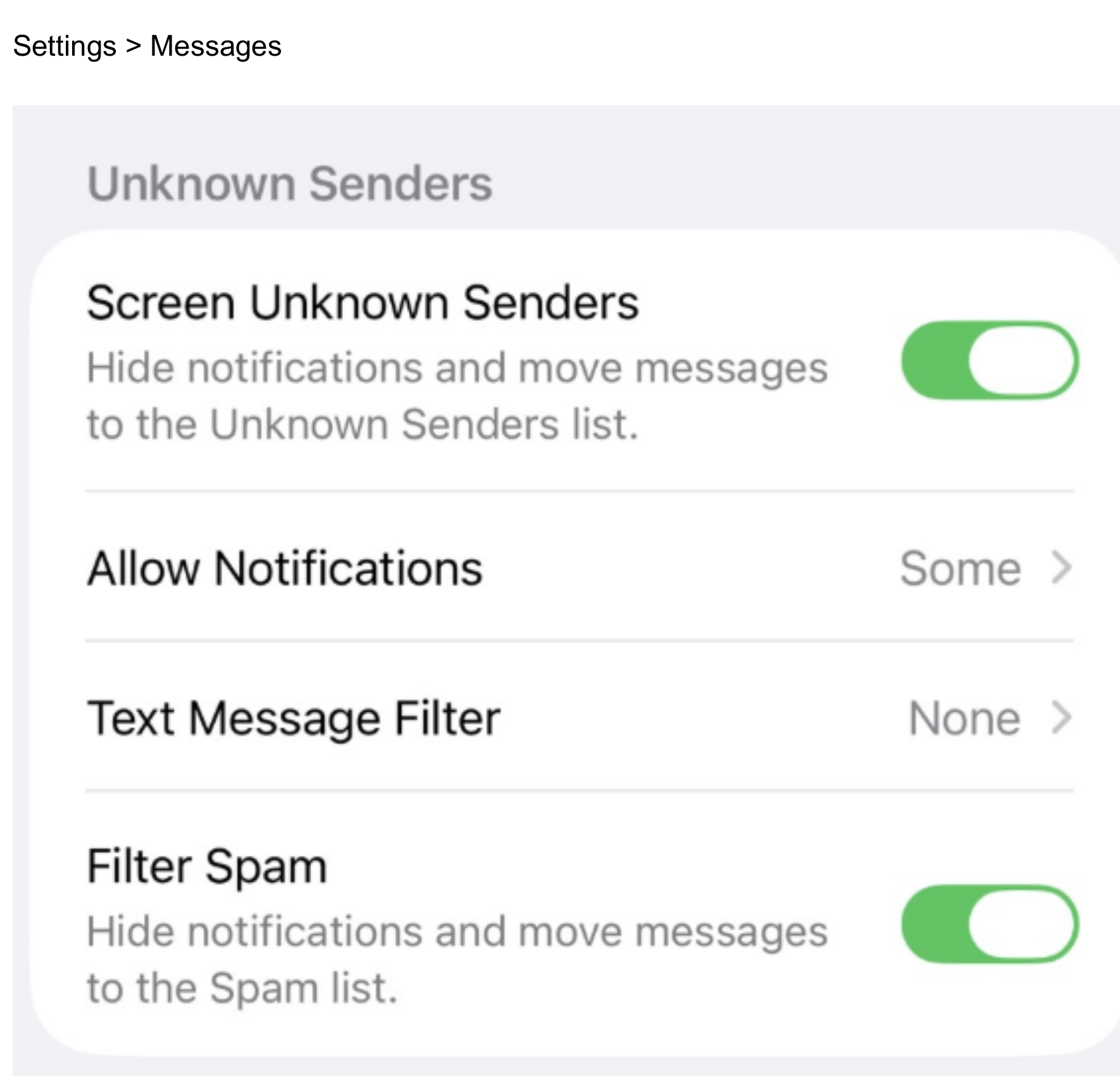
Toggle on Screen Unknown Senders
All phone numbers that are not in your contact lists will show up in the upper right corner of your messages.
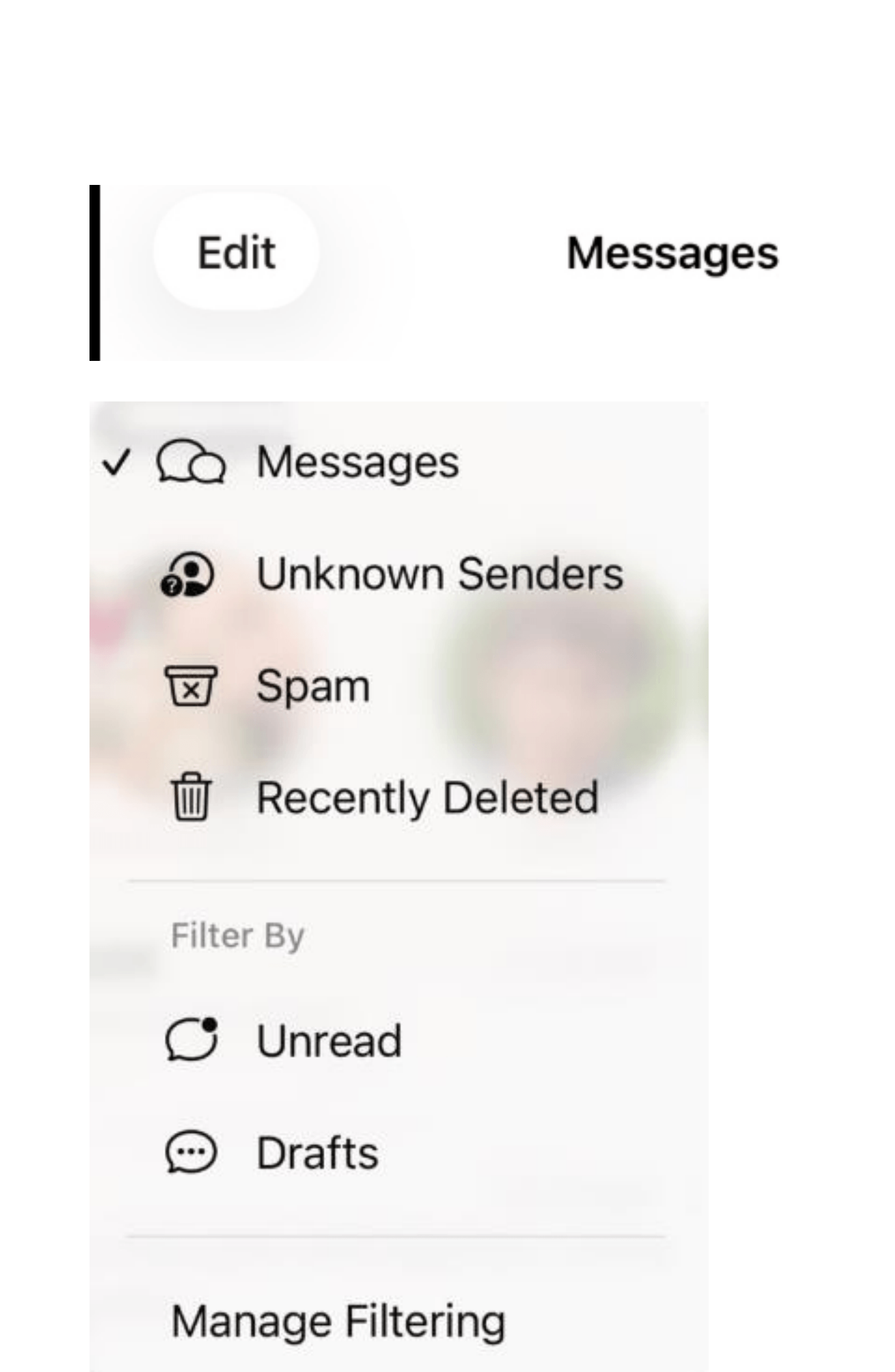
Screen Unknown Phone Calls
iPhone: Settings > Phone
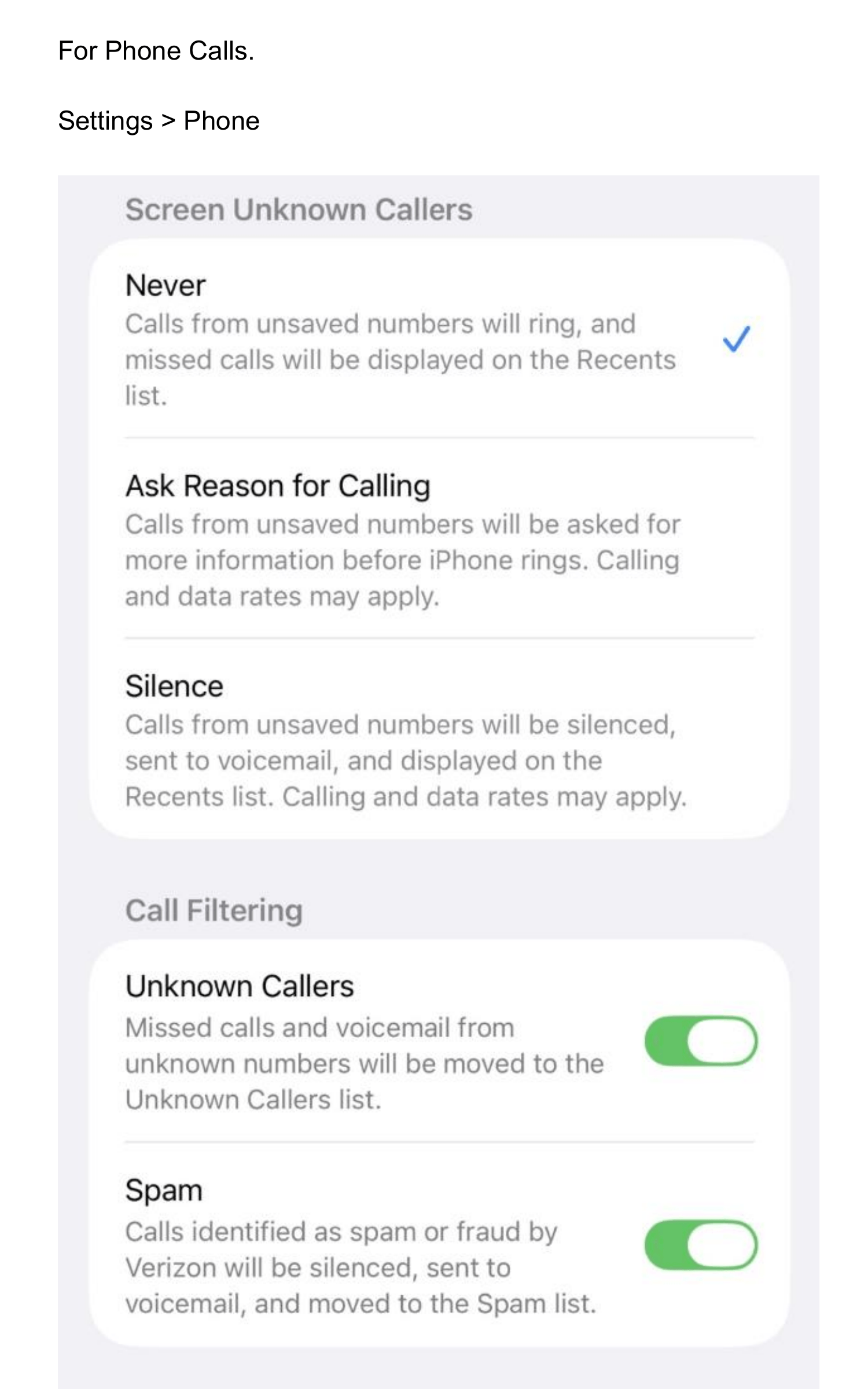
Toggling on unknown callers will send incoming calls not in your contact list to voicemail.
Summary
- Screen Unknown Senders — hides notifications and moves texts from unknown numbers to a separate list.
- Filter Spam — automatically moves messages identified as spam to the Spam folder.
- Screen Unknown Callers — silences calls from numbers not in your contacts and sends them to voicemail.
- Unknown Callers (Call Filtering) — moves missed calls and voicemail from unknown numbers to the Unknown Callers list.
- Spam (Call Filtering) — silences calls identified as spam or fraud by your carrier.
These settings take less than a minute to enable and can significantly reduce the number of scam attempts that reach you directly. If you’re ever unsure about a message or call you received, run a free Quick Check with Carmen to find out if it’s legitimate.